Admin Guide · Setup
Item types and fields
An item type is not a database table, it is a page in everyone's navigation and a shape every form, filter, and agent has to live with. Scroll, and follow one type from a blank name field to the register your colleagues actually use.
- Types
- Create
- Fields
- Effect
Scroll
Items and item types covers what a record is and how records relate. This page is the design work: what to define, what you can change later, and what each decision costs once people depend on it.
Every type is already a page
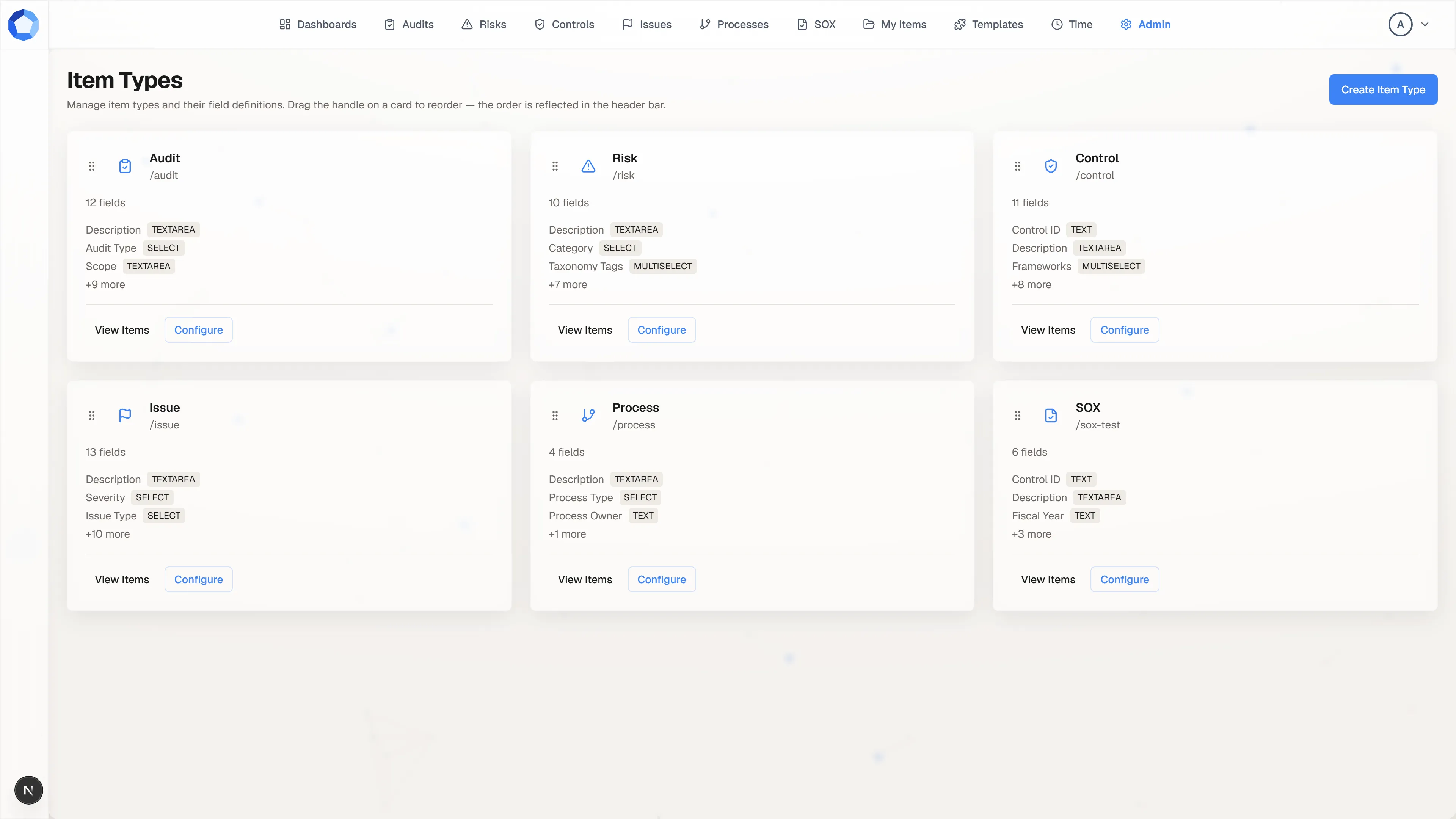
Section titled “Every type is already a page”Item Types, from the Administration page, lists one card per configured type with its slug, its field count, and the first few of its fields with their types. Each active type here is also an entry in the top navigation and a page in the page-access grid.
Drag a card’s handle to reorder the list, and the header bar reorders to match. Create Item Type, at the top right, starts a new one.
Name it, and pick the slug carefully
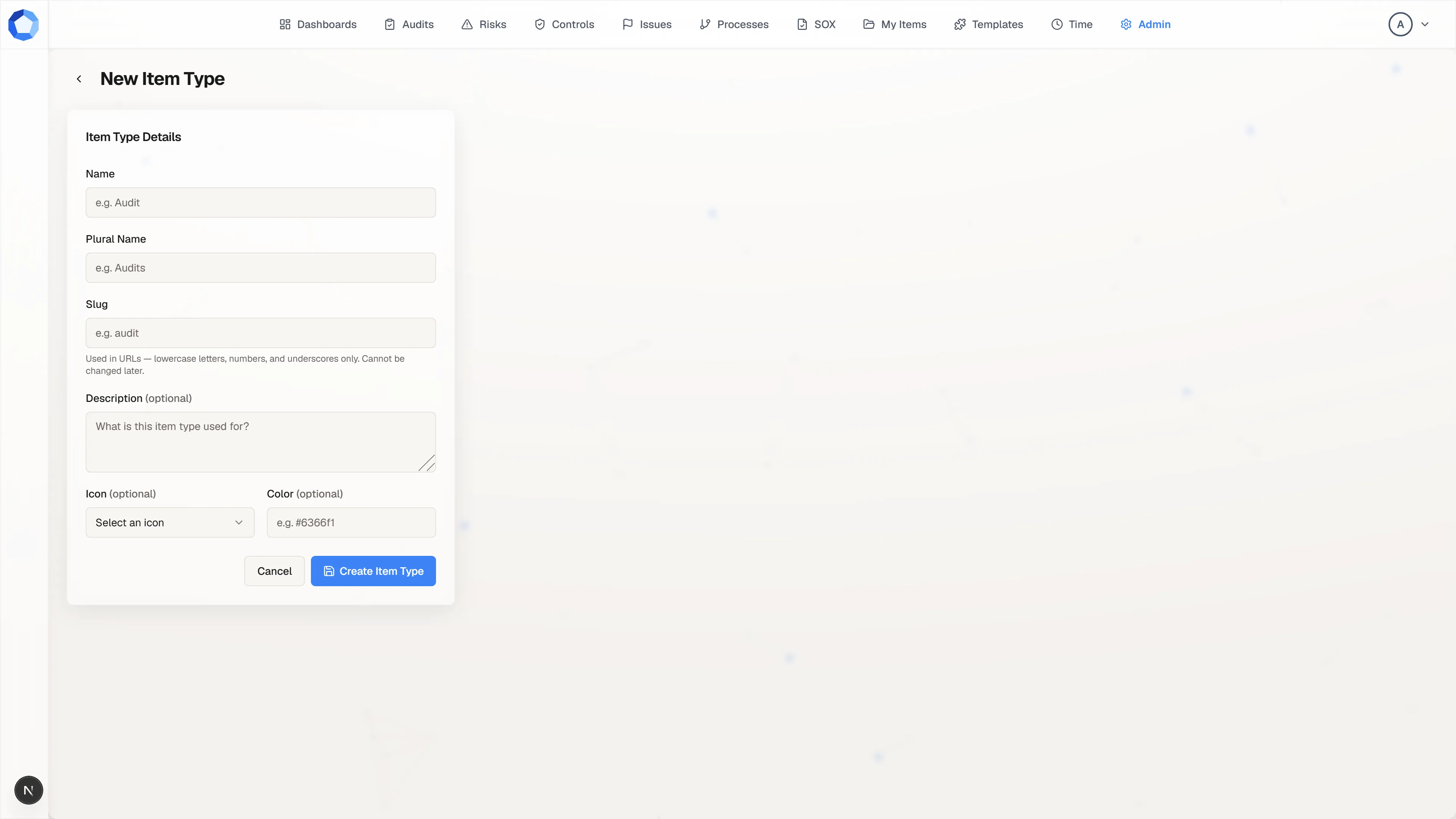
Section titled “Name it, and pick the slug carefully”A new type asks for very little: a Name, a Plural Name, a Slug, an optional description, and an optional icon and color. The name and plural are the labels everyone reads; the icon and color are how the type is recognized in the navigation and in lists.
The slug is the one entry with no undo. It goes in URLs, in page-access grants, in import files, and in every agent query, and the form says so plainly: lowercase letters, numbers, and underscores only, and it cannot be changed later. Pick the boring, permanent-sounding word.
Fields come after the type exists
Section titled “Fields come after the type exists”Creating the type does not ask about fields. Configure, on the type’s card, opens the editor where field definitions live, alongside the type’s labels, icon, color, display order, active flag, and its read-only slug and default status.
Each field carries a field key, a label, a help description, one of fourteen field types, a required flag, an optional default, and two switches that matter more than they look: filterable and searchable.
What your colleagues end up with
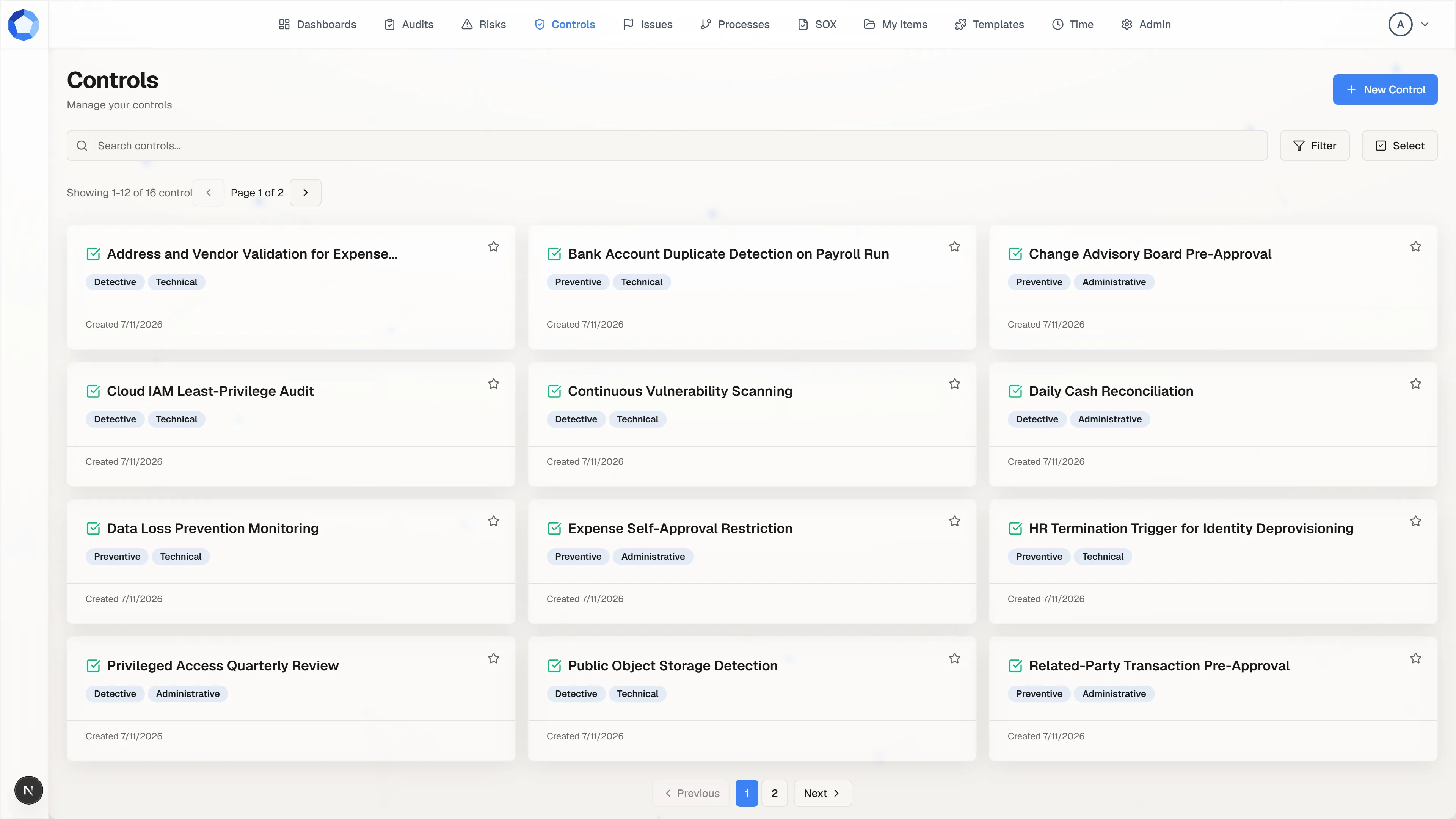
Section titled “What your colleagues end up with”This is the same type from the other side. The register, its search box, and its Filter menu are generated from the field definitions you just set: only fields you marked searchable feed the search box, and only fields you marked filterable appear as filters.
The chips on each card are field values too. A field left as free text shows up here as whatever each person typed; the same field as a Select with a fixed option list gives you a filter that actually groups the records.
The fourteen field types
Section titled “The fourteen field types”| Field type | Stores |
|---|---|
TEXT |
A short single-line value. |
TEXTAREA |
A longer value, written and rendered as Markdown. |
RICHTEXT |
Formatted text. |
NUMBER |
A numeric value. |
DATE |
A calendar date. |
DATETIME |
A date and a time. |
SELECT |
One value from a fixed option list. |
MULTISELECT |
One or more values from a fixed option list. |
BOOLEAN |
A true or false value. |
USER |
A reference to one user. |
USERS |
A reference to several users. |
RELATION |
A link to one item of a related item type. |
RELATIONS |
Links to several items of a related item type. |
JSON |
A structured value your tenant defines. |
RELATION and RELATIONS point at another item type by its slug, which is one
more reason a slug has to outlive whoever chose it. Favour the narrowest type that
fits: a SELECT with a controlled option list reports reliably, while the same
information in a TEXT field spells itself three different ways within a month.
What is safe to change, and what is not
Section titled “What is safe to change, and what is not”| Change | Safe? |
|---|---|
| Rename a label, plural, or help description | Yes. Labels are display only. |
| Change an icon, color, or display order | Yes. |
| Add a new optional field | Yes. |
| Make an existing field required | Careful. Records saved before the change do not retroactively gain a value. |
| Rename a field key | No. Dashboards, imports, and agent queries all key on it. |
| Rename a slug | Not possible after creation, by design. |
| Delete a field or type that holds data | No. Deactivate instead. |
Deactivating a type removes it from the navigation and from new work without discarding the records or the history attached to it. That is almost always the change you actually want when a type is retired.
Statuses and the default
Section titled “Statuses and the default”Each type carries its own statuses and one default status, applied to new records when nothing else sets one. An Issue type might move through Open, In Progress, and Resolved while a Risk type tracks something else entirely.
Keep the status set aligned with any workflow templates attached to the type. Status and workflow progress tend to move together, and a mismatch between the two is confusing for whoever is working the record.
Shared option lists
Section titled “Shared option lists”An option list defined inline on a field belongs to that field alone. When two fields, or two item types, need the same vocabulary, keep the values in Custom Lists so the tenant has one place to read them from and one place to change them.
Editions
Section titled “Editions”Designing item types and fields is a Masterpiece feature. On the Studio edition the Item Types card is hidden from the Administration page and the editor renders an upgrade notice instead, while everything the existing types already do keeps working. See Custom lists for the narrower gating that applies there.