Using AssureSwarm · Guide
Using templates
A template is a process you draw once and run many times. Scroll, and build one from an empty canvas to a saved template anyone can start work from.
- Library
- Design
- Configure
- Save
Scroll
A workflow template is the blueprint: draw the steps once, and every workflow started from it follows the same shape. Workflow templates covers designing good ones and governing the library; this page is the mechanics of the editor.
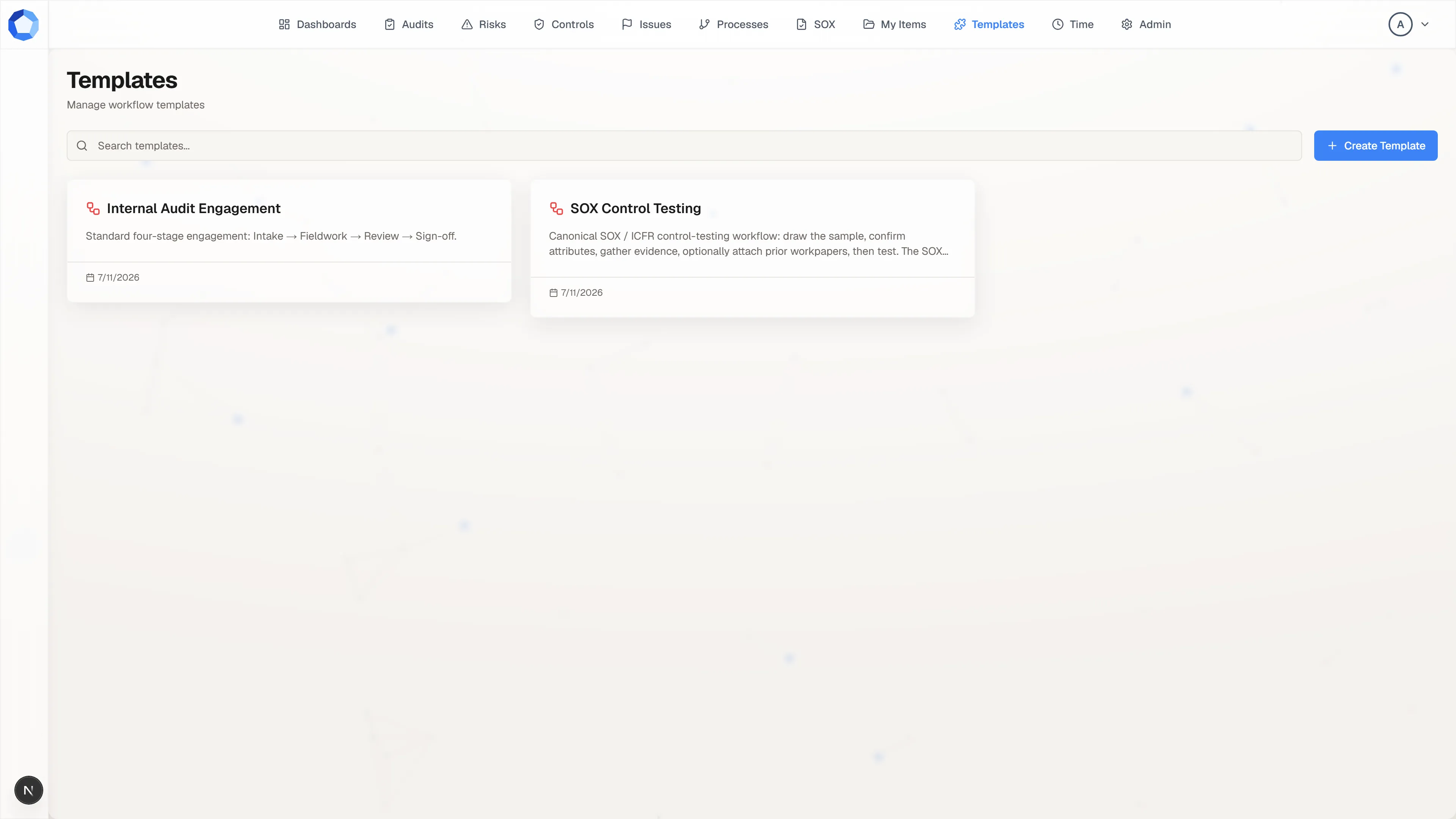
The library
Section titled “The library”Templates in the top navigation lists every template you can see, one card each, with its name, its description, and when it last changed. Search narrows the list by name, and selecting a card opens that template in the designer.
Create Template, at the top right, opens an empty designer. Starting actual work from a template happens on the item itself: add a workflow to the item, then pick the templates to run.
Draw the process
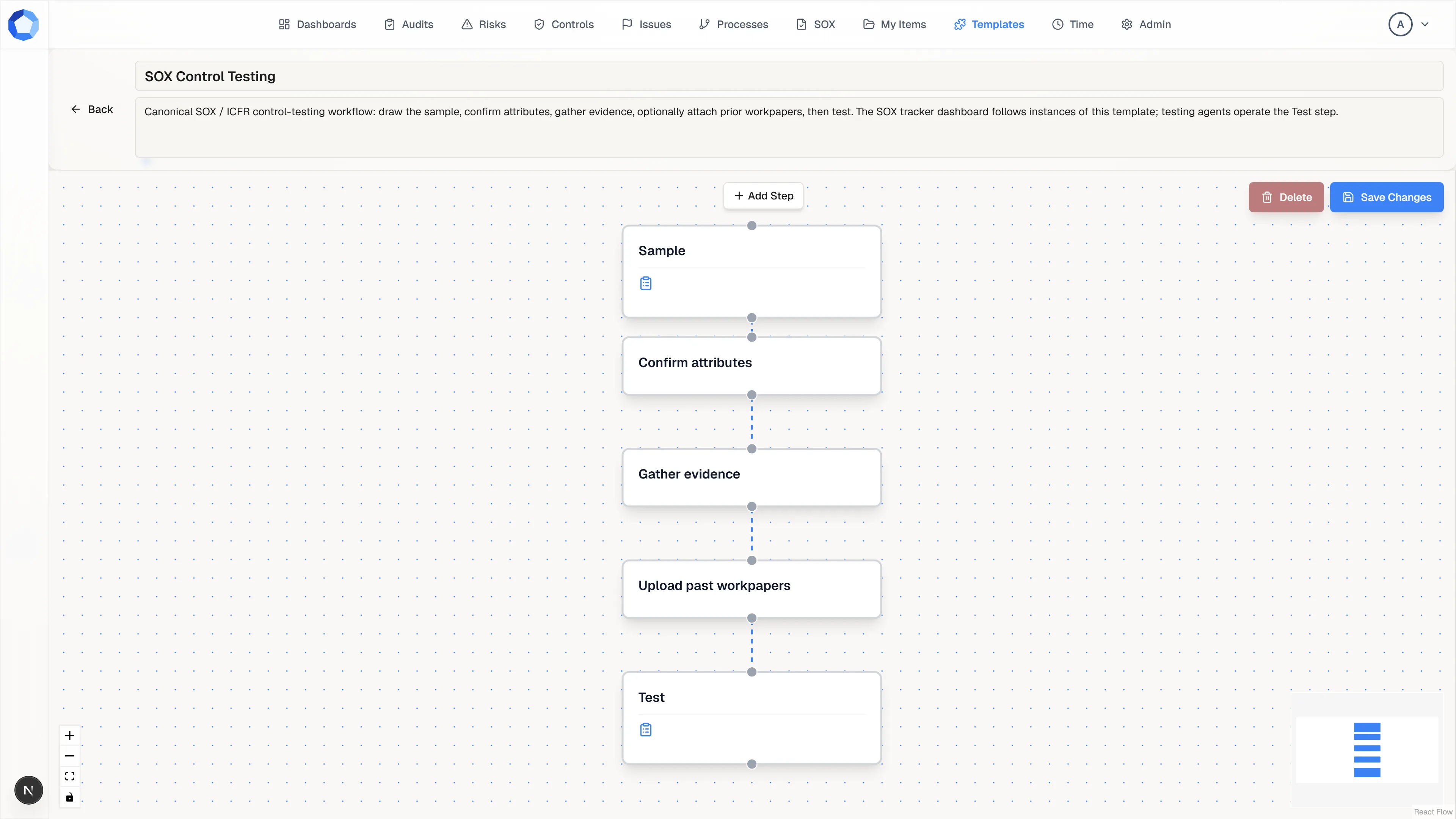
Section titled “Draw the process”The designer is a canvas of nodes and connections, and the diagram is the process: each node is a step, and each connection sets what follows what. Add Step drops a new node onto the canvas, and dragging from one node to another connects them.
Drag nodes to arrange them, and use the zoom controls in the bottom left to fit a long process on screen. A node can have more than one outgoing connection, which is how a decision branches.
Configure each step
Section titled “Configure each step”Select a node and a Configure Step panel opens on the right. It holds the step name, a short description, the instructions for whoever does the work, and an optional form for the step.
Instructions are the part people actually read, so write them for someone meeting this process for the first time. Add a form wherever you need consistent, structured answers rather than free text.
Name it and save it
Section titled “Name it and save it”The name and description at the top of the designer are what everyone else sees in the library, so make them say what the process is for. Save Changes, at the top right, writes the whole template: nodes, connections, and every step’s configuration in one go.
Delete, beside it, removes the template. Workflows already running from it keep going, but nobody can start a new one.
A template is not a running workflow
Section titled “A template is not a running workflow”Editing a template never touches work already underway. Instantiating a template creates a separate, running workflow on an item, and from that moment the two are independent: later template edits apply only to workflows started afterwards, and editing a running workflow leaves the template alone.
That makes templates safe to improve. Fix a confusing instruction today and every run started from tomorrow gets the better wording, while runs in flight are undisturbed.
When an agent proposes a template
Section titled “When an agent proposes a template”An agent can draft a template through suggest_change. It arrives marked AI Suggestion, with the agent’s name and the instruction it was given, opened in the designer rather than in a read-only view. You can move nodes, rewrite instructions, and fix names before deciding, then press Approve & Create to keep it or Reject to discard it.
Treat a proposed template as a first draft. It is usually faster to correct a drafted process than to draw one from scratch, but the structure is still yours to sign off on.