Concepts
Forms
Structured questions on workflow steps: assignments, the forms inbox, submissions, uploads, and external respondents.
A form is how a workflow step collects structured answers from a person, instead of, or alongside, a free-form result. Scroll through the model, then read the reference below for the detail.
A form belongs to a step
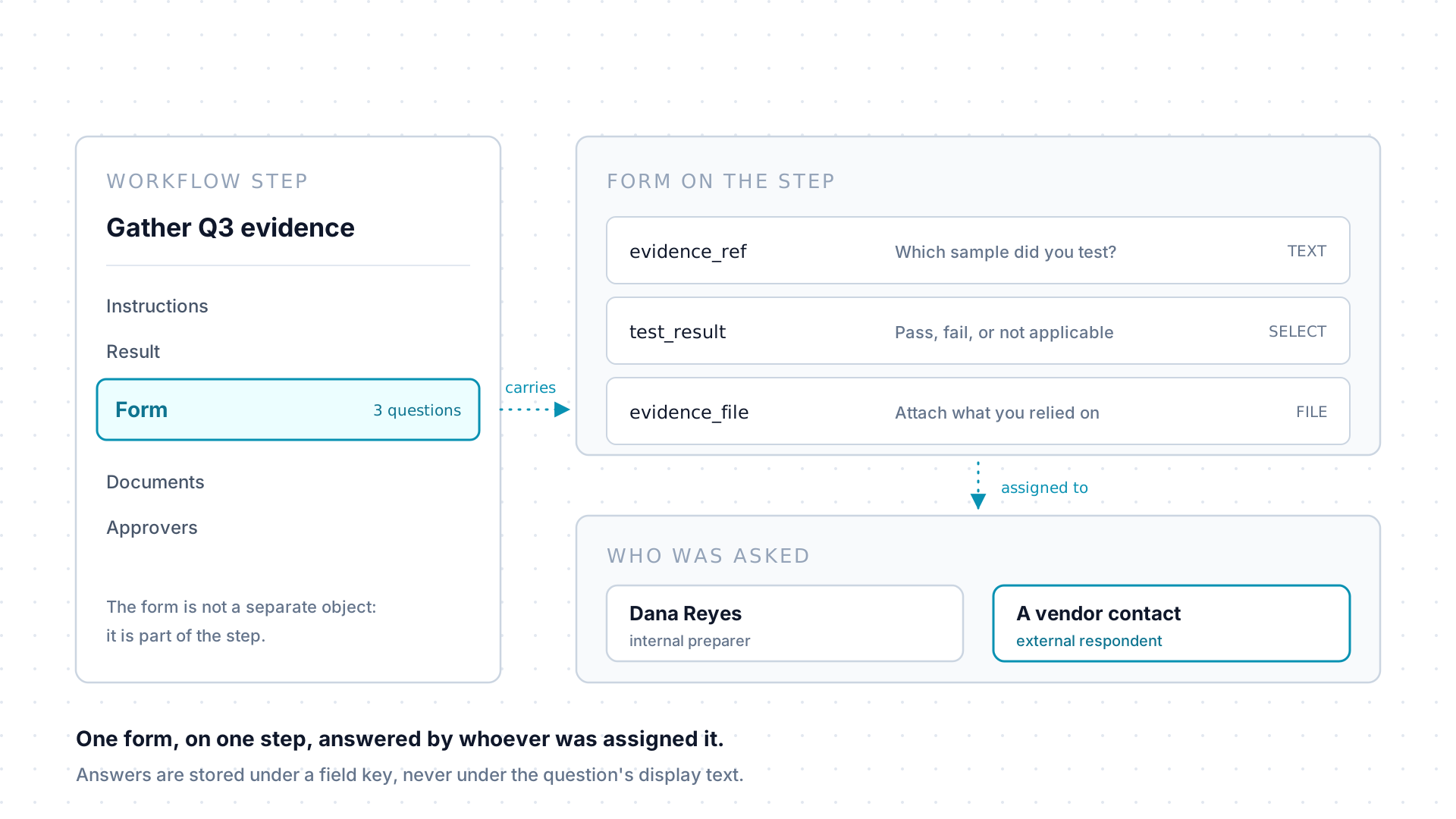
Section titled “A form belongs to a step”A form is a set of questions carried by one step, beside that step’s instructions, result, and documents. It is not a separately permissioned object and it has no page of its own, so reading the step reads its form: there is no second lookup to make.
Every question stores its answer under a field key rather than under the question’s display text. Imports, queries, and agents all address the key.
One assignment, from asked to recorded
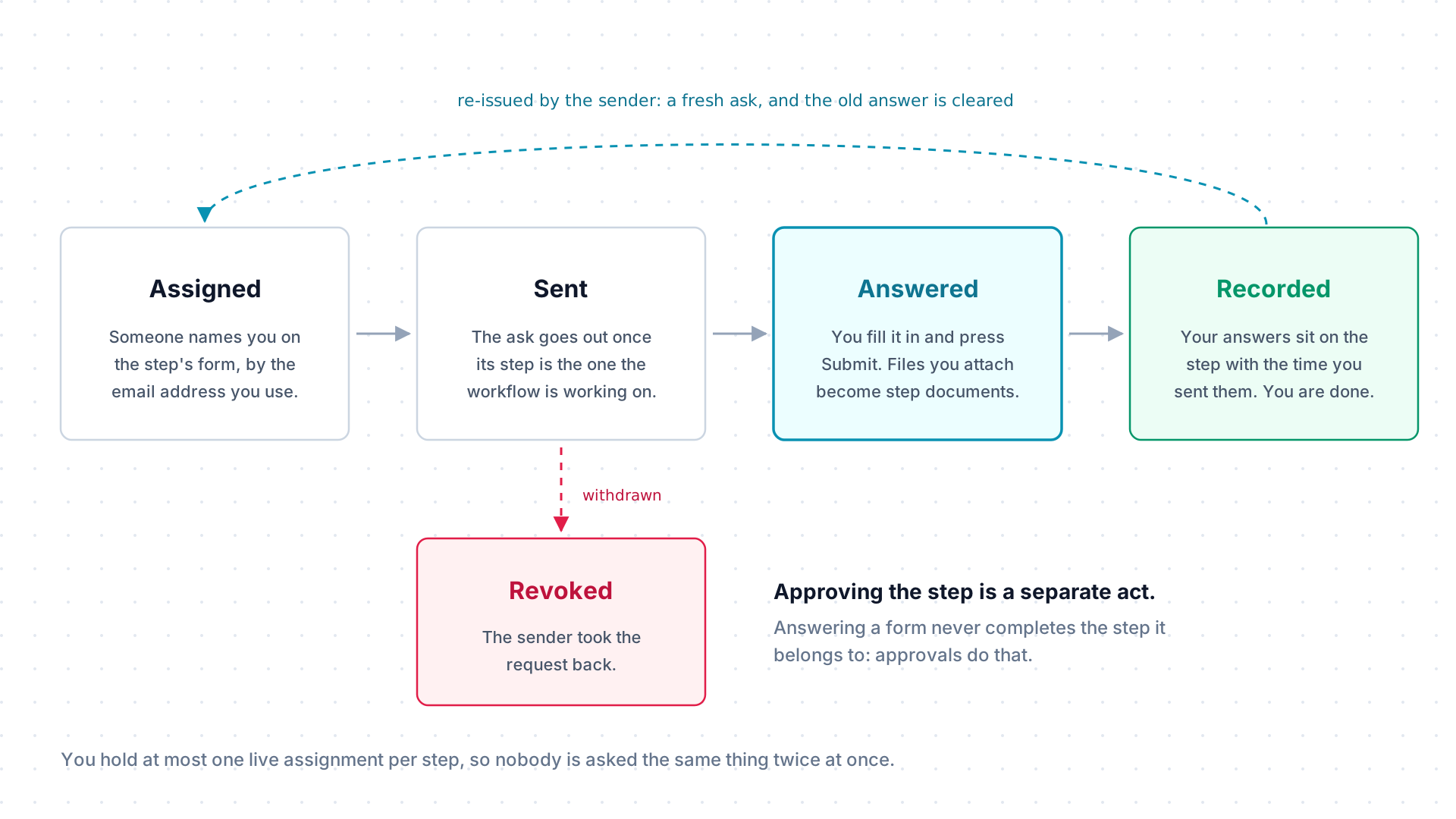
Section titled “One assignment, from asked to recorded”A form assignment asks one named person, addressed by email, to answer one step’s form. The ask goes out when its step becomes the one the workflow is working on, so an assignment created ahead of time waits its turn. Several people can each hold their own assignment on the same step and answer independently, but only one live assignment each, so nobody is asked the same thing twice at once.
Submitting records the answers and the time on the step. That does not complete the step: approvals do that, and they are a separate act by separate people. An assignment can also be revoked if the request was unnecessary or went to the wrong person.
The boundary around an external respondent
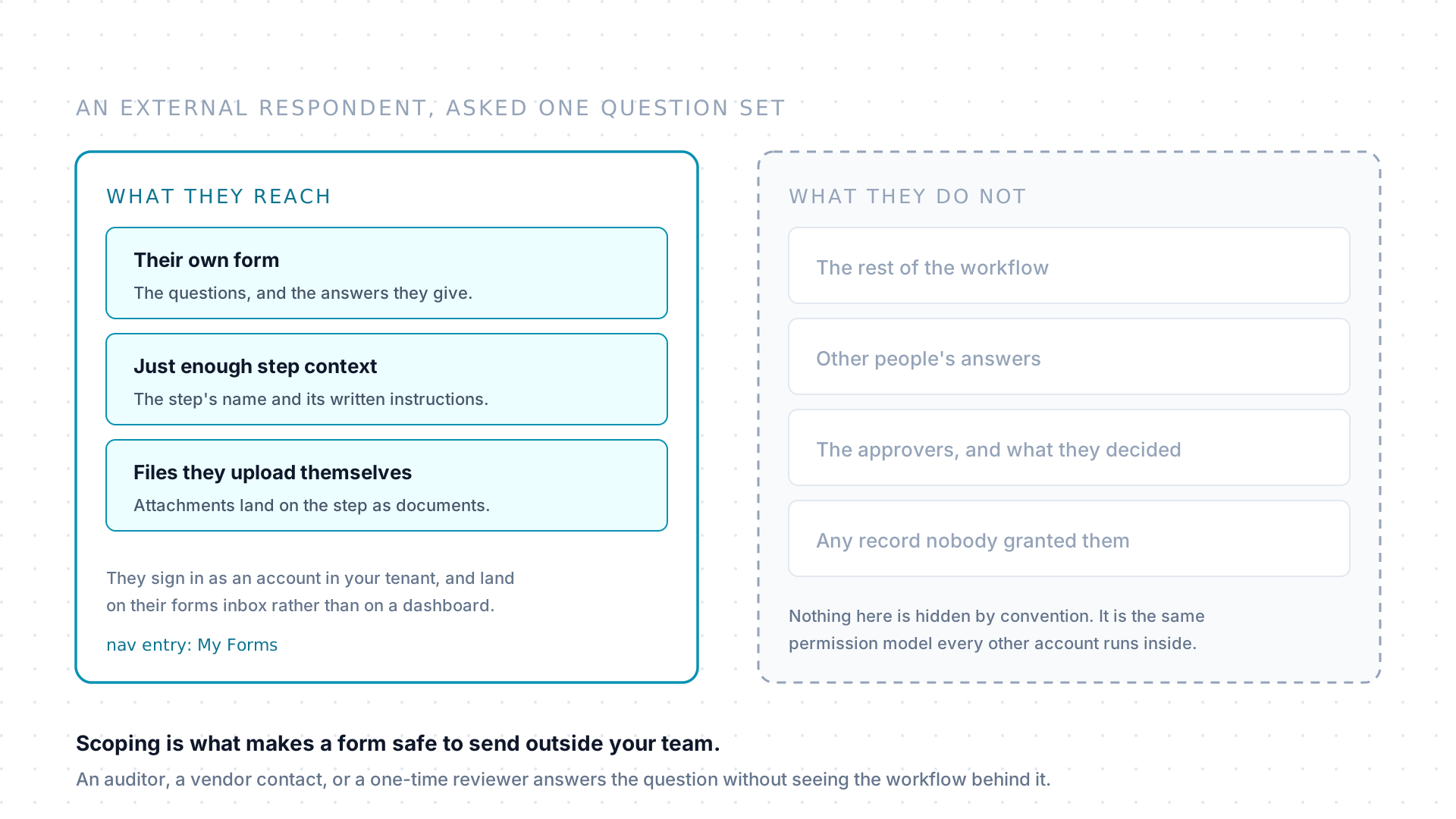
Section titled “The boundary around an external respondent”People outside your team can be assigned a form. They reach their own form, the step’s name and instructions, and the files they upload against it. They do not reach the rest of the workflow, other people’s answers, the approvers’ decisions, or any record nobody granted them.
That narrow scope is what makes a form the safe way to ask a question of an external auditor, a vendor contact, or a one-time reviewer. External accounts are one of the user roles: see Permissions.
When an agent drafts the answers
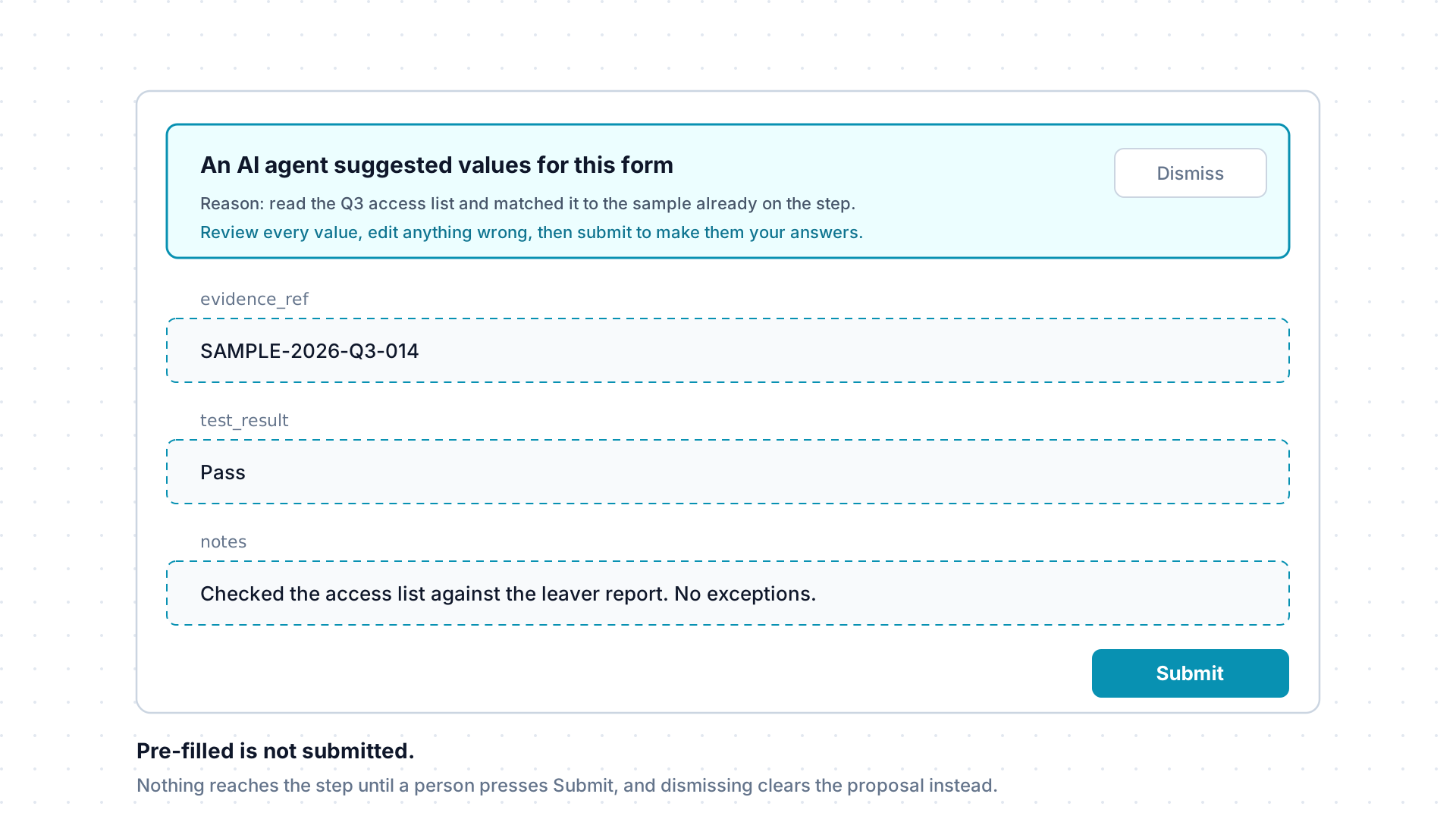
Section titled “When an agent drafts the answers”An agent can propose answers rather than record them. The proposal arrives as a suggestion, and the respondent opens a form with a banner above it naming the agent and its reason, and the fields already filled in.
Nothing is on the step at that point. Editing a value and pressing Submit makes the answers the respondent’s own; dismissing the banner clears the proposal and leaves the form blank.
Assignments, in detail
Section titled “Assignments, in detail”An assignment is addressed to a person by email and is created by whoever wants the answer. A step’s form is not limited to one recipient: several people can each hold their own assignment on the same step and submit independently, and every response is recorded.
Assignees find every form addressed to them in their forms inbox, opened from the avatar menu. External collaborators get a My Forms entry in the navigation instead, and land there when they sign in. Opening an assignment takes you to its own fill page, scoped to the step context you are permitted to see rather than to the whole workflow. Responding to forms is the procedure for answering one.
Submitting, and changing an answer
Section titled “Submitting, and changing an answer”Submitting records the answers on the step along with the submission time.
What happens next depends on who you are, and it is worth knowing which case you are in:
| Who is answering | What submitting does |
|---|---|
| Someone holding an assignment | Records the response and closes that assignment. There is no second submission against it. |
| Someone who can edit the item the workflow belongs to | Writes the answers straight onto the step, and can be repeated while the step is still open. |
So if an assignee’s answer turns out to be wrong, the fix is not a resubmission:
the person who sent the form re-issues the assignment, which asks again with a
clean slate, and the previous answer is cleared. A step that has reached
COMPLETED refuses form submissions altogether.
Uploads on a form
Section titled “Uploads on a form”A form question can ask for a file. Anything a respondent uploads through one becomes a step document tied to that specific response, so evidence sits with the rest of the step’s material instead of somewhere separate. Like any uploaded file it is checked before it counts, and a file that fails the check cannot be submitted with the form: see Documents for how that works.
External respondents
Section titled “External respondents”That scoping is what makes forms the safe way to collect an answer from someone who should not see the rest of your tenant. If a question does not make sense out of context, the respondent should ask whoever sent it rather than guess.
For agents
Section titled “For agents”Propose form answers with suggest_change using the
submit_form action. Target the step, and put the answers under
data.fields.values:
{ "name": "suggest_change", "arguments": { "action": "submit_form", "itemType": "step", "targetId": "<step-id>", "data": { "fields": { "values": { "question_key": "answer value" } } }, "reason": "Recorded the respondent's answer from the intake call." }}A person still reviews the proposal before the response is recorded: a successful call only creates a pending suggestion; it doesn’t submit the form.
Other useful calls:
- Assign a form to someone by proposing a
formassignment: the step and the recipient’s email. - Read a step’s form with get_step_context.
- Your own pending forms show up in get_current_context as
assignedForms.