Concepts
How workflows run
A workflow turns repeatable work, an audit, a review, an intake, into a structured, trackable sequence of steps attached to an item. Scroll through the moving parts, then dig into the reference below.
- Anatomy
- Roles
- Lifecycle
- Branches
Scroll
Structured work, attached to an item
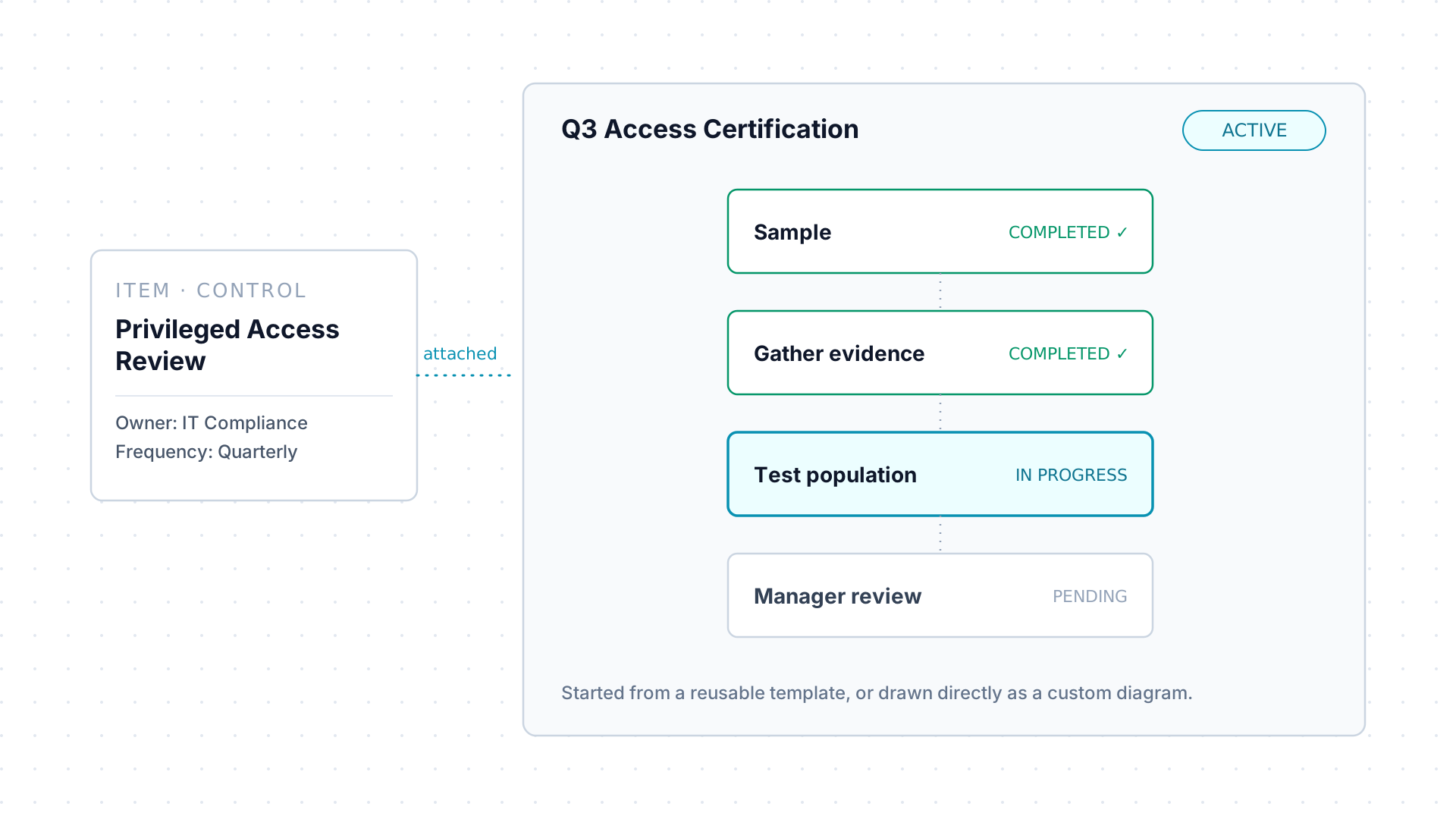
Section titled “Structured work, attached to an item”A workflow is an ordered set of steps attached to an
item, with a name, a status, typically
DRAFT → ACTIVE → COMPLETED, and one or more owners. As work
proceeds, AssureSwarm tracks which step is current.
It’s created one of two ways, mutually exclusive: from a reusable workflow template, or as a custom workflow drawn directly as diagram nodes and edges. Once running, both behave the same.
Approvers and review levels: no “assignee”
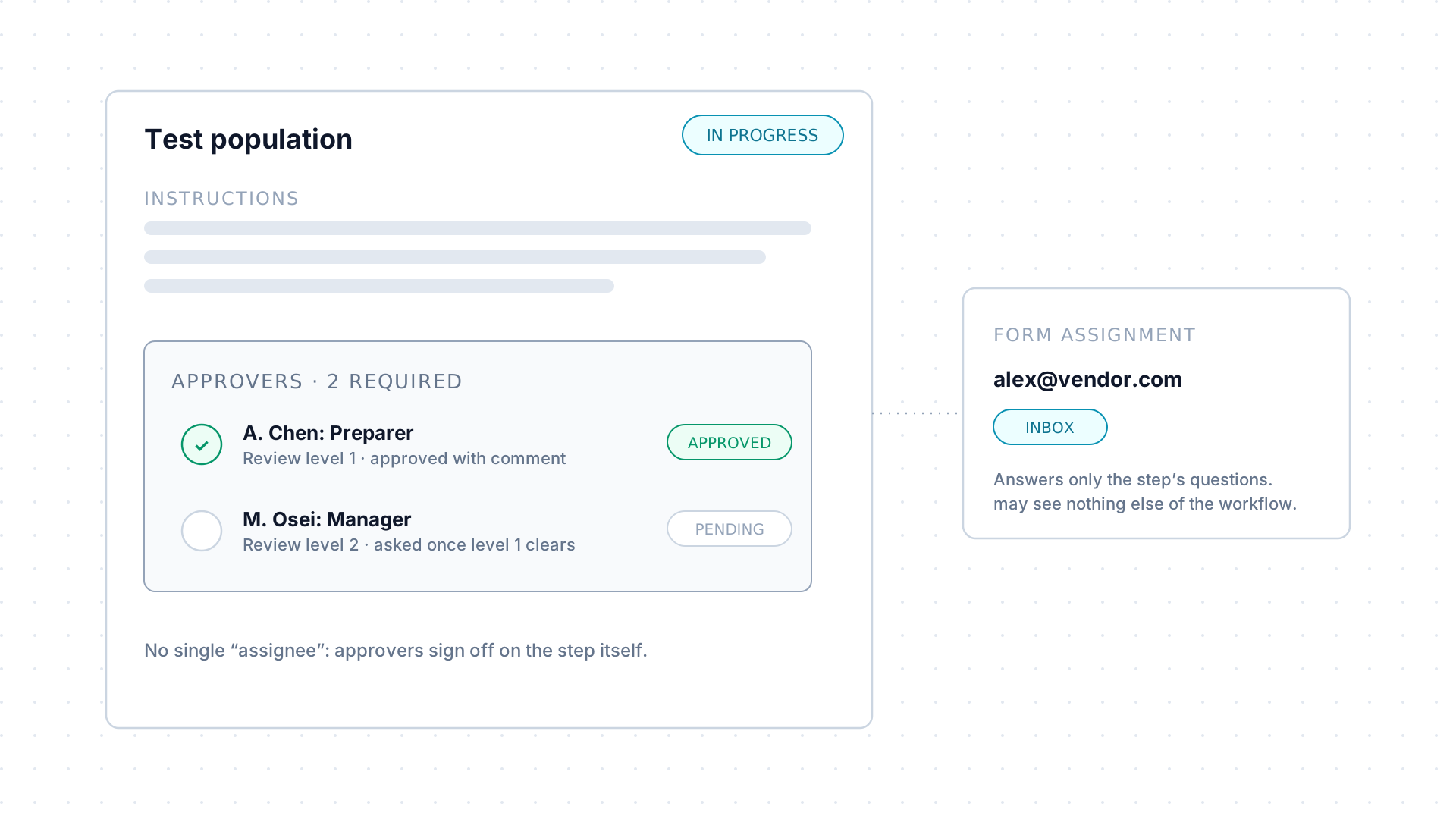
Section titled “Approvers and review levels: no “assignee””A step has no single owner field. Work reaches people two ways: approvers, who sign off on the step itself, and form assignments, who answer the step’s form: either, both, or neither.
Every approver has a review level, level 1 must clear before level 2 is asked to decide, and the step defines how many approvals it requires.
Status is derived, never set
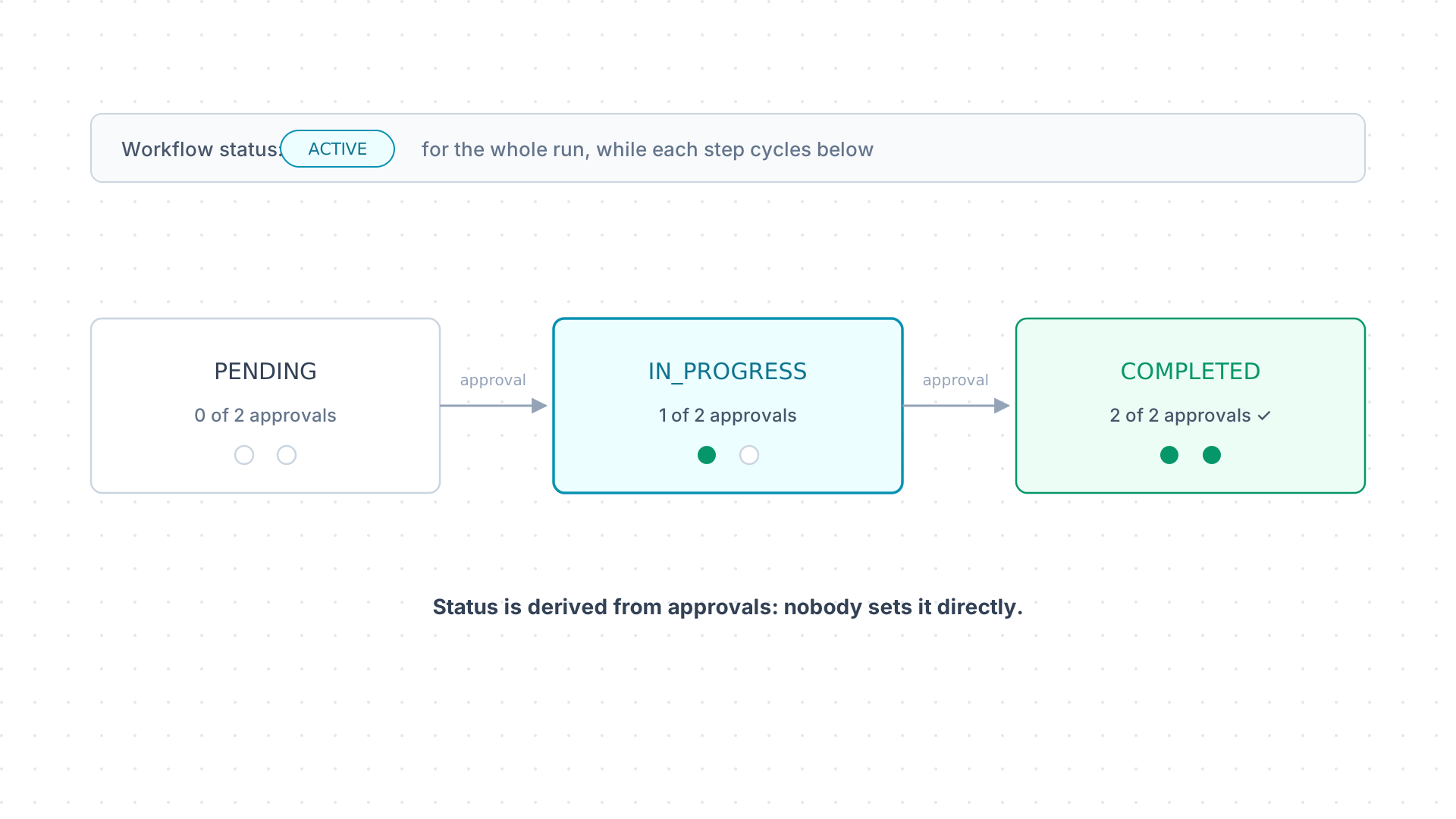
Section titled “Status is derived, never set”A step’s status comes from its approvals: PENDING (none yet),
IN_PROGRESS (some, not enough), COMPLETED (required approvals met).
Nobody sets it directly.
The workflow’s own status is separate: it can sit at ACTIVE for the
whole run while steps individually cycle through their lifecycle.
Decisions route the run: pruning trims it
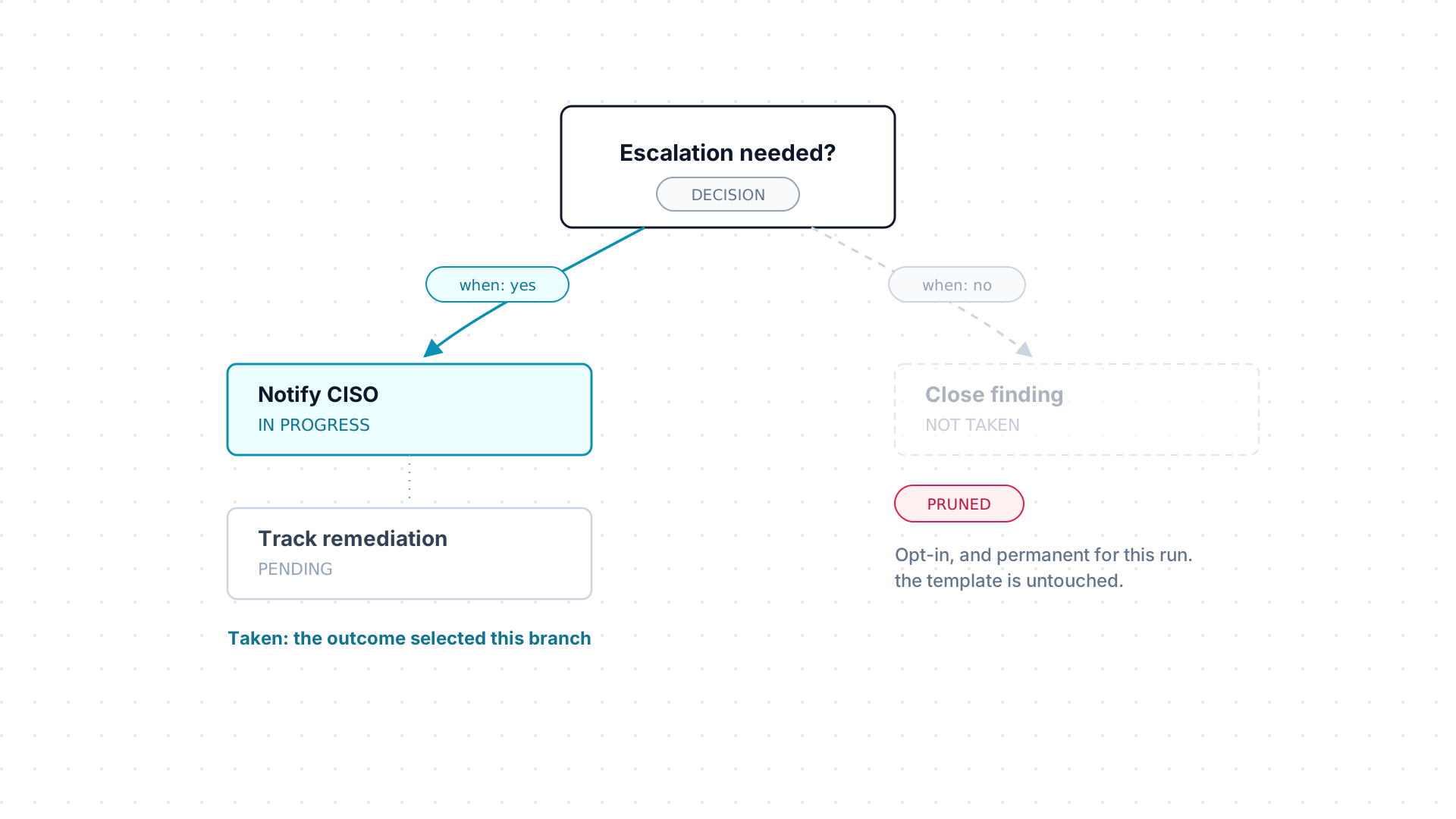
Section titled “Decisions route the run: pruning trims it”A diagram can include decision points. Each outgoing branch is labeled with the “when” value that selects it; whichever outcome comes back is the branch the run follows.
Optionally, the branches not taken can be pruned: explicitly and permanently removed from that run. The underlying template is untouched. Agents can propose it too, through suggest_change.
Anatomy of a step, in detail
Section titled “Anatomy of a step, in detail”Each step carries:
| Part | What it holds |
|---|---|
| Name, description, summary | What the step is and why it exists. |
| Type | A plain task, by default. |
| Instructions | Guidance for whoever does the work. |
| Due date | Optional. |
| Result | A free-form, Markdown write-up of what the work produced. |
| Form | Optional structured questions: see Forms. |
| Documents | Files attached to the step: see Documents. |
| Item links | Connections to related items beyond the workflow’s own. |
The result is usually where the substance lives, findings, a write-up, a summary of what was checked, captured as Markdown so it renders cleanly wherever the step is viewed, in-app or through get_step_context.
Steps can also link directly to items beyond the workflow’s own item, as a parent, child, sibling, or related record, to tie the work to whatever it actually touches.
Assignment, in detail
Section titled “Assignment, in detail”An approval record starts pending. Once the approver acts, it records their decision along with optional comments and a timestamp: room to explain a rejection, or flag something for the preparer to fix before the step comes back around.