Using AssureSwarm · Guide
Reviewing suggestions
When an agent proposes a change, nothing happens until a person approves it. The Activity Hub is where that decision gets made. Scroll, and work a queue of proposals from arrival to applied.
- Hub
- Diff
- Decide
- Bulk
- Preview
Scroll
Every change an agent proposes through suggest_change arrives as a suggestion: a compact before-and-after with the reason the agent gave, waiting for you. Suggestions explains the model underneath; this page is the day-to-day procedure.
The Activity Hub
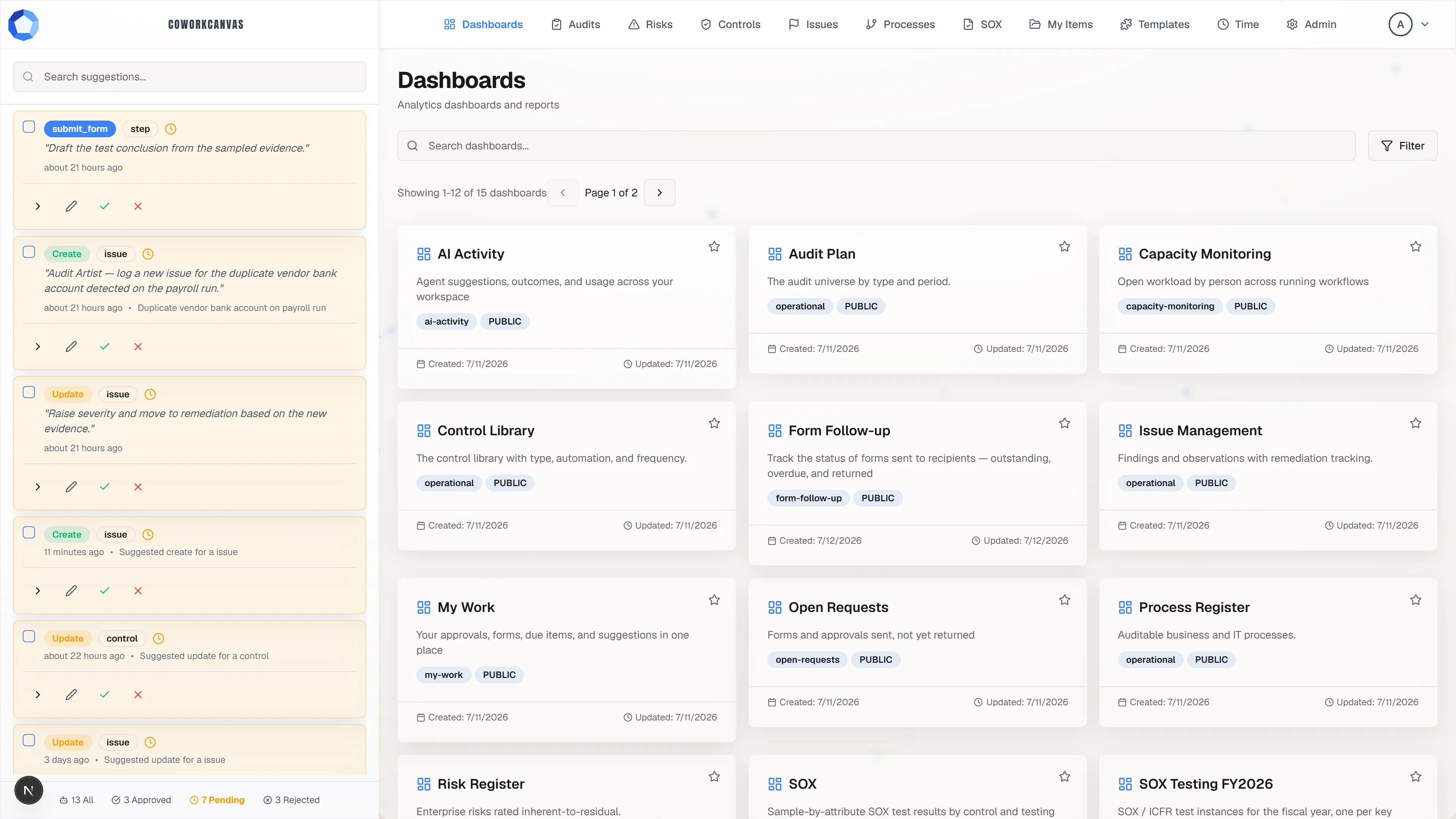
Section titled “The Activity Hub”Agent proposals wait in the Activity Hub, the rail down the left of the app. It is a review queue rather than a chat: each card names the action and the kind of record it targets, carries the instruction that produced it, and a footer counts the queue by state. Select a card to expand it.
Nothing in the rail has touched your data. A suggestion on its own never modifies anything.
Read what it actually proposes
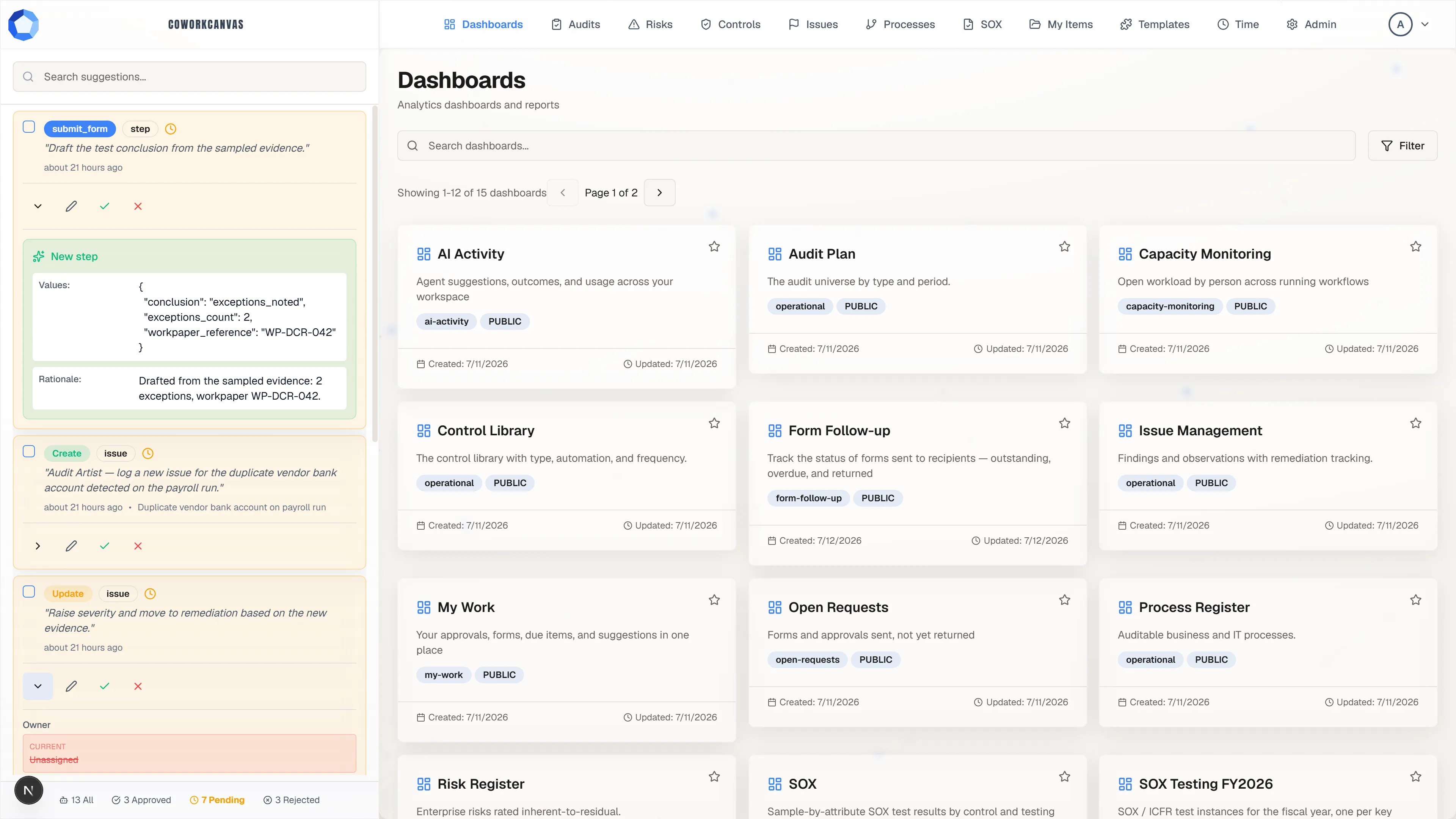
Section titled “Read what it actually proposes”An expanded card shows the target it would change, the exact values it would write, and the rationale the agent recorded. Where a field already holds a value, the card shows the current value struck through beside the proposed one, so an overwrite is never a surprise.
Read the target first, then check that the current values still match reality. If they look stale, reject rather than approve.
Approve, reject, or fix it first
Section titled “Approve, reject, or fix it first”Each card carries the same controls: expand, edit, approve (the green check), and reject (the red cross). Approving applies the change as you, under your own permissions, and records you as the suggestion’s processor. Rejecting discards it, and the agent can always re-propose with corrections.
Use edit when the shape of the change is right but a value is wrong: fix the value, then approve what you actually want written.
Clear a backlog in one pass
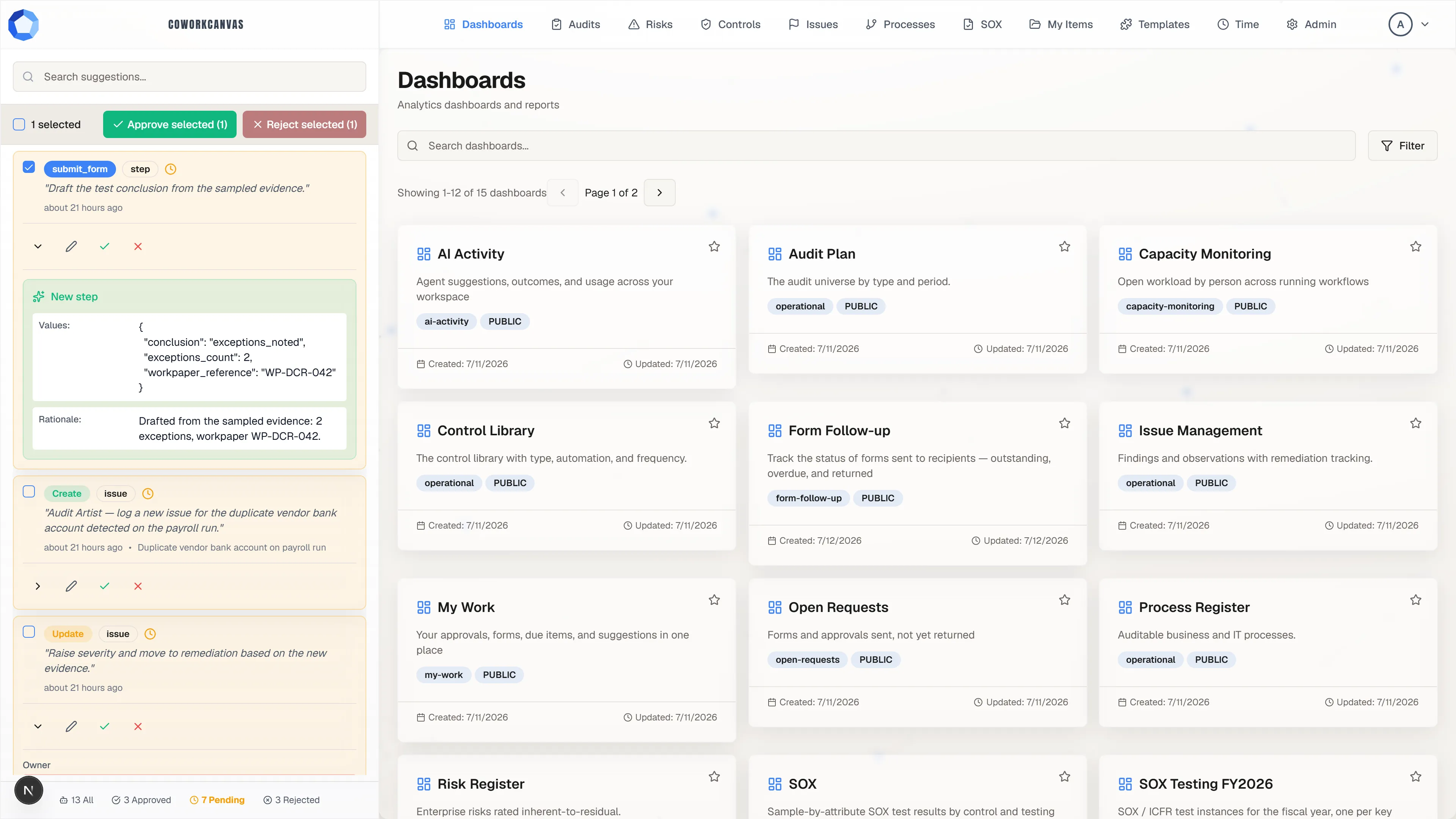
Section titled “Clear a backlog in one pass”Tick the checkbox on any card and the rail switches into selection mode: a bar appears with Approve selected and Reject selected, each showing how many cards it will act on.
Bulk actions are for a queue you have already read. Do not use them to empty a rail you have not looked at.
Pending changes preview in place
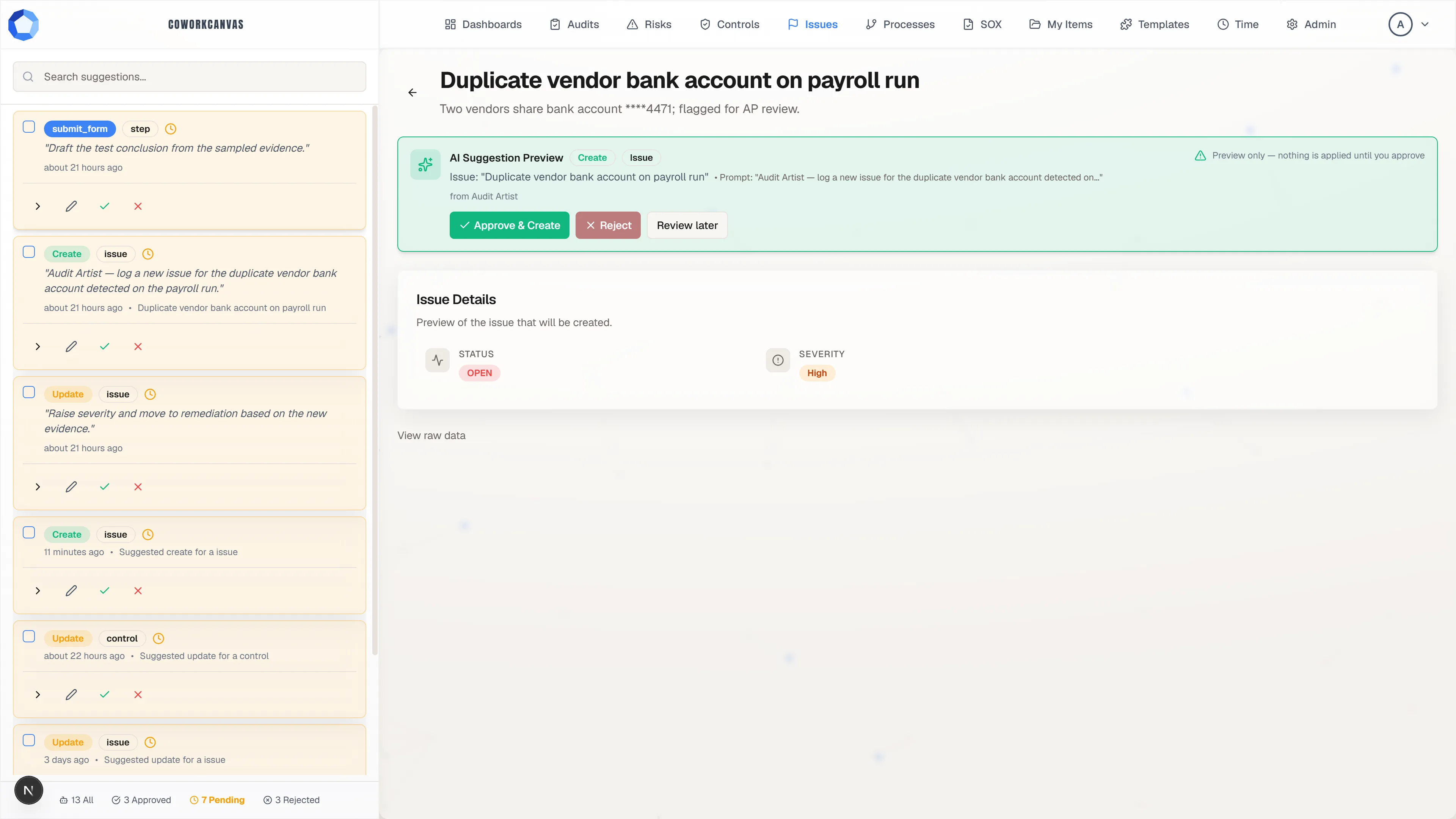
Section titled “Pending changes preview in place”A pending change also previews on the surface it would touch, as an AI Suggestion Preview banner offering Approve & Create, Reject, and Review later, with the record it would produce rendered underneath. You can decide there without going back to the rail.
When an agent successfully proposes a change it gets back a direct Preview & approve link, which it typically shares with you in chat. That link lands on this same preview.
What to check
Section titled “What to check”- The target: is this the right item, step, or workflow?
- The before values: do they match reality? If they look stale, reject the suggestion.
- The proposed values: are they correct, within what you actually asked for, and, for select fields, sensible option values?
- The reason: does the reason the agent stated actually make sense for this change?
- Side scope: for a create, check it is not smuggling in unrelated fields you did not ask for.
Suggestion states
Section titled “Suggestion states”| Status | Meaning |
|---|---|
pending |
Waiting for you to review it. |
processing |
Being applied. |
approved |
Applied: you approved it. |
rejected |
Discarded: you rejected it. |
If a suggestion stalls in processing, it automatically returns to pending
rather than silently applying: re-check it instead of assuming it went through.
After you approve, verify the record actually looks right. Every change, yours or an approved suggestion’s, lands in the item’s activity feed.
Good hygiene
Section titled “Good hygiene”- Review promptly: an agent’s task is blocked until you decide.
- Prefer several small, focused suggestions over one sweeping one; ask the agent to split up a change that is trying to do too much.
- Reject freely, and tell the agent what to fix: rejection means “not yet,” not “never.”
- Never approve a change you do not understand.