Using AssureSwarm · Guide
Responding to forms
A form is how a workflow step asks you for structured answers. Scroll, and walk one from the inbox to a recorded response, including the case where an agent has already drafted it.
- Inbox
- Open
- Answer
- Submit
Scroll
Answering a form is usually the whole of your involvement in a workflow: you are asked a set of questions, you answer them, and your response is recorded on the step that asked. Forms covers how they are built and assigned; this page is the procedure for answering one.
Your forms inbox
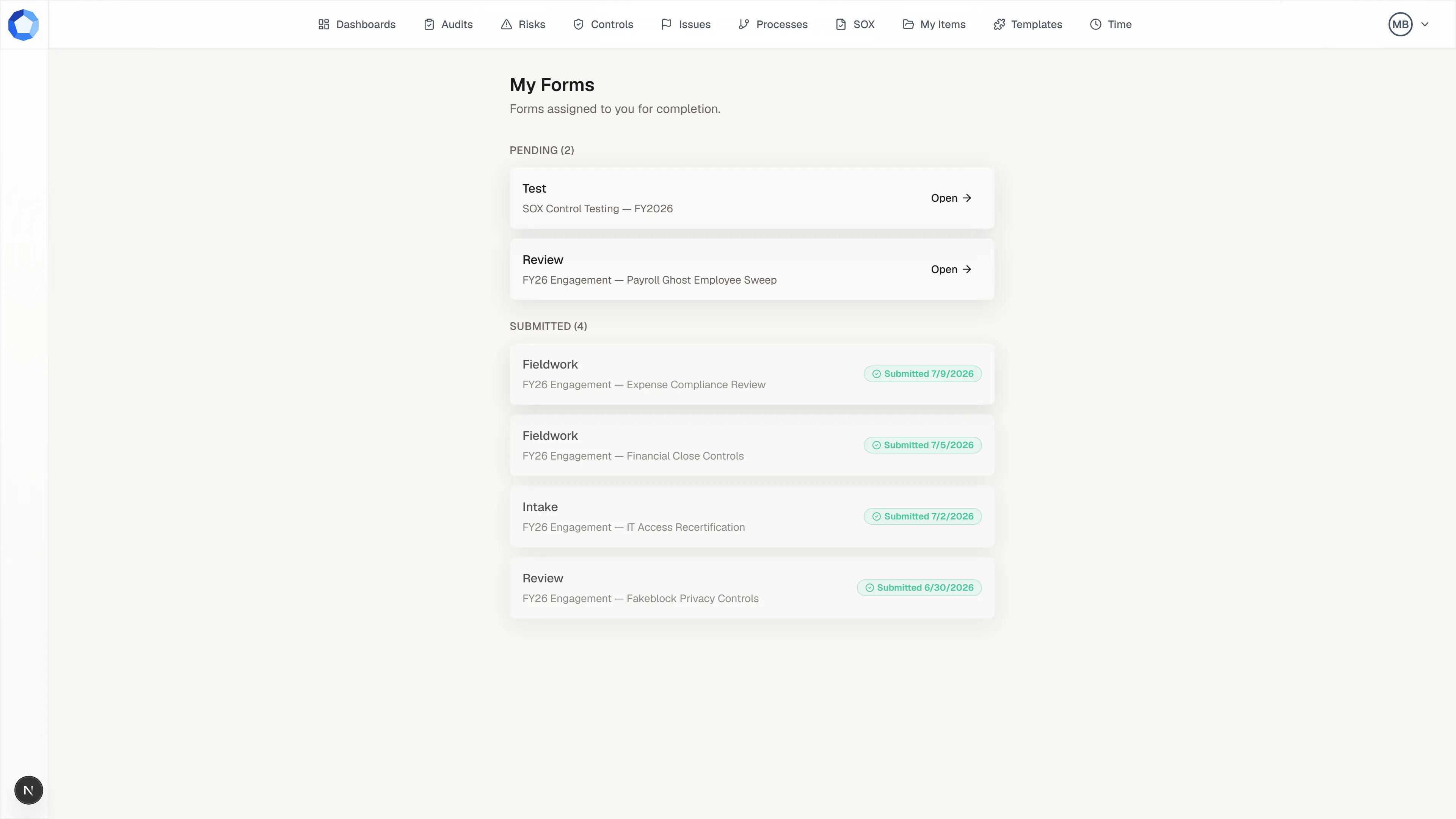
Section titled “Your forms inbox”Every form addressed to you collects in your forms inbox, opened from your avatar menu at the top right. Assignments group into Pending and Submitted, so what is still owed is obvious at a glance. Select Open on a pending card to answer it.
External collaborators get their own My Forms entry and land there when they sign in.
Open it and read the ask
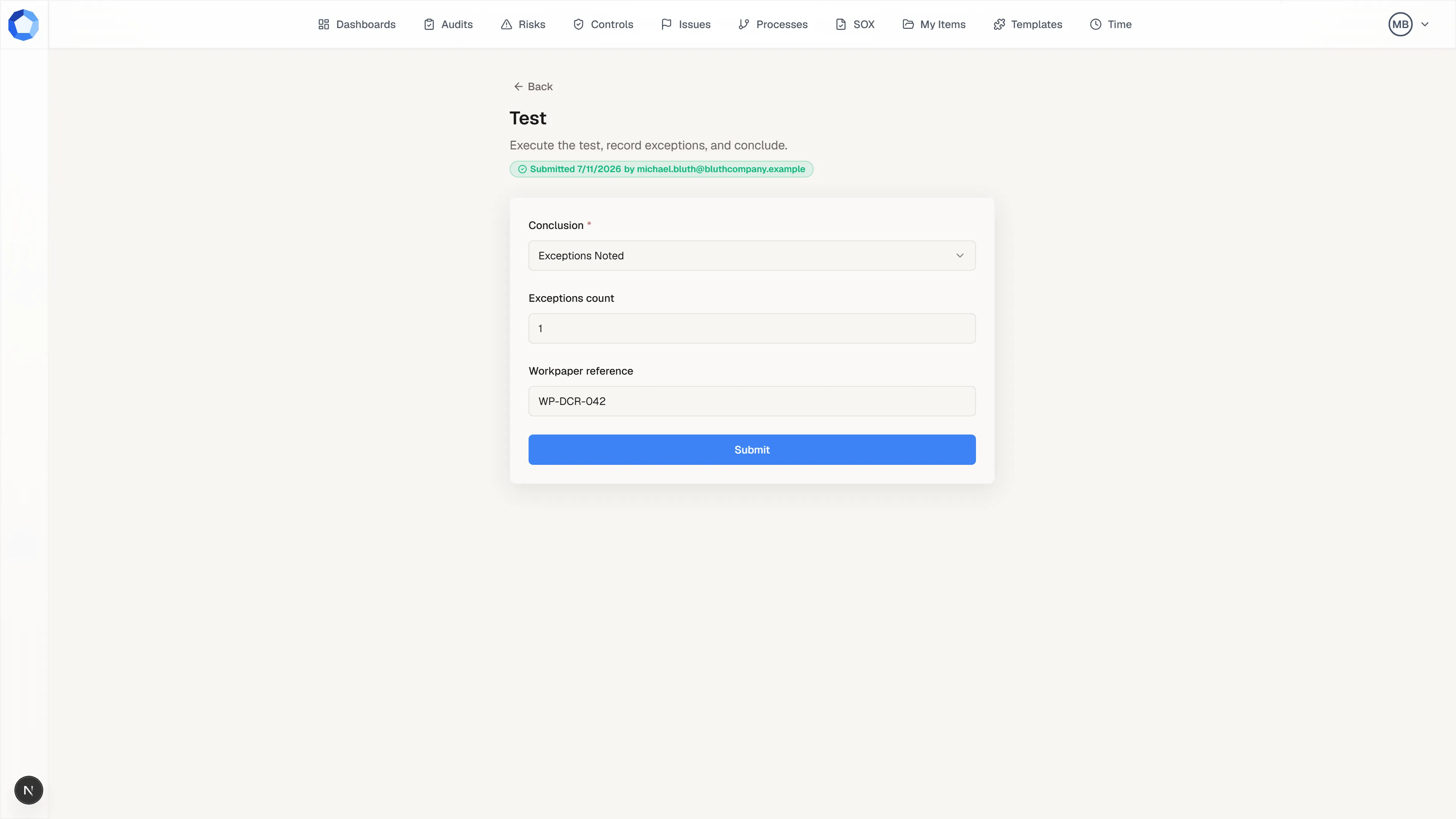
Section titled “Open it and read the ask”A form opens on its own page with the step’s name, the instructions written for it, and the questions below. Read the instructions before you answer: they carry the context the step owner wanted you to have, and you see only the step context you are permitted to see, not the surrounding workflow.
Once a response exists, a green Submitted badge records when it went in and who sent it.
Answer, or accept a drafted answer
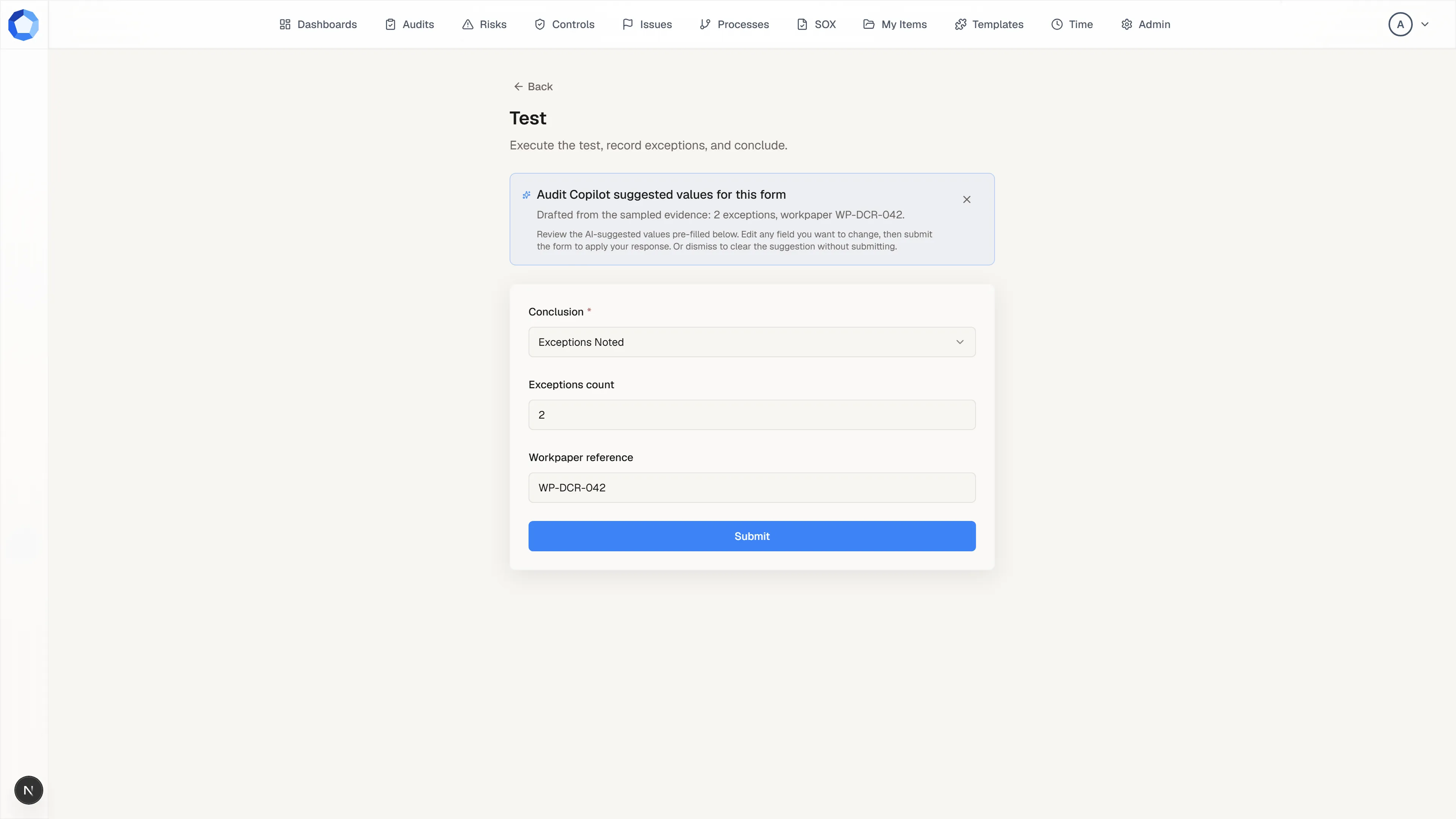
Section titled “Answer, or accept a drafted answer”Answer each question, and note the red asterisk marking the required ones. If an agent has proposed answers, a banner sits above the form and the fields arrive pre-filled: read every value, edit anything that is wrong, then press Submit to make them your answers. Dismiss the banner instead to clear the suggestion without submitting.
Pre-filled values are a proposal until you submit. Nothing is recorded on the step while the banner is sitting there.
Submit, and correct it if you need to
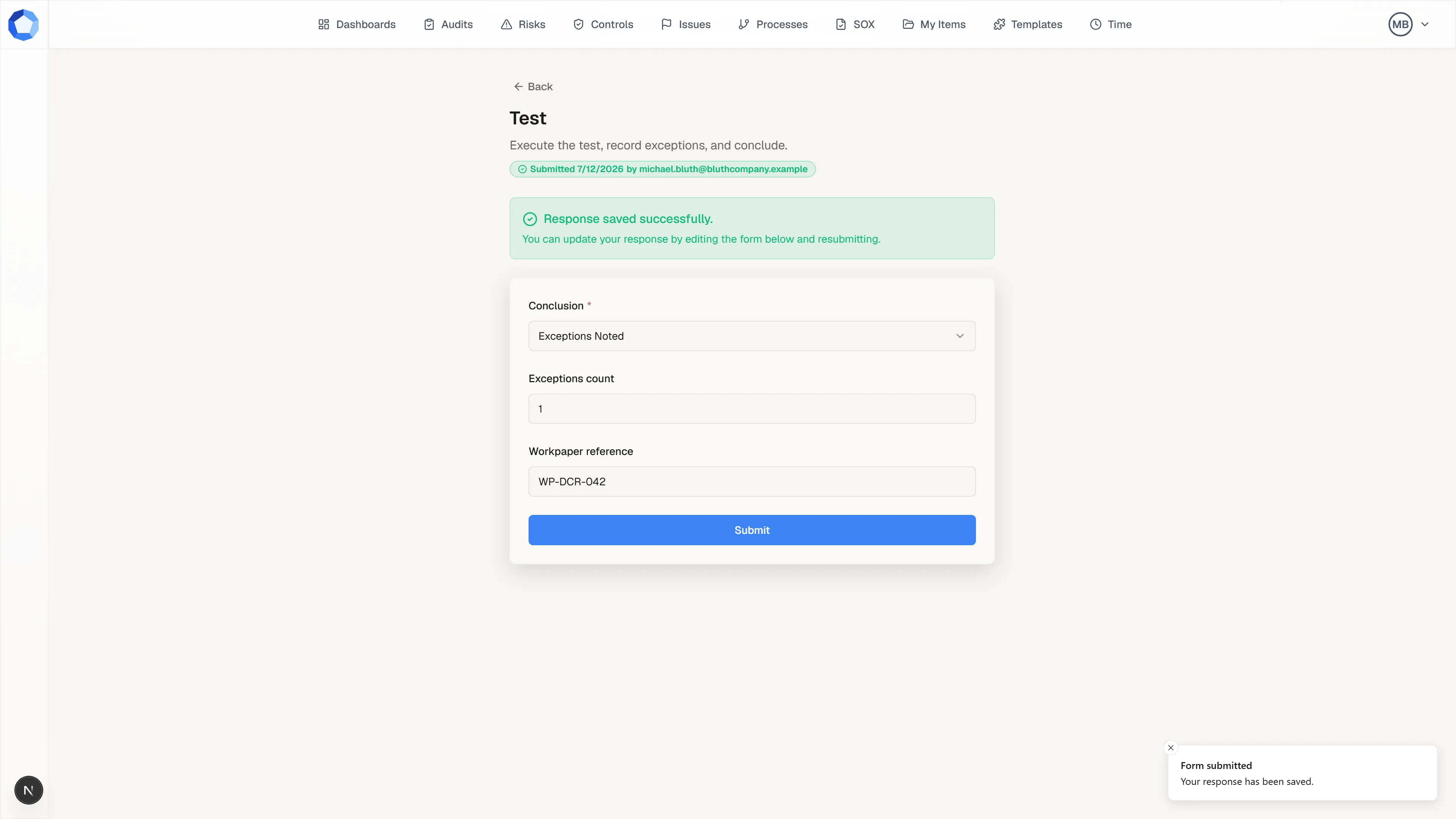
Section titled “Submit, and correct it if you need to”Submitting records your answers on the step along with the time, and a confirmation replaces the form’s header: Response saved successfully.
You can update your response by editing the form and resubmitting, up until the step completes. If a question is unclear, ask the workflow owner rather than guessing at an answer.
Where your answers go
Section titled “Where your answers go”Your answers are stored on the step that asked them, alongside its instructions, result, and documents. That is where the step’s approvers read them, and where an agent reads them through get_step_context. Nothing about answering a form approves the step: see Working a step for how a step actually completes.
Form questions can include file uploads. Anything you upload through a form becomes a step document tied to your response, so it sits with the rest of the step’s evidence.
Responding as an external collaborator
Section titled “Responding as an external collaborator”If the request was a mistake
Section titled “If the request was a mistake”A form assignment can be revoked by the person who created it, so tell the sender if a form has reached you in error rather than submitting an empty response. You can hold only one active assignment per step, so nobody is asked to fill out the same form twice at once.