Admin Guide · Setup
Workflow templates
A template is the process your organization runs, written down once. Scroll through what you are actually governing when you publish one, and what changes when you edit it later.
- Library
- Blueprint
- Steps
- Publish
Scroll
Using templates is the mechanics of the editor. This page is the governance: what belongs in a template, how approvals and branches should be designed, and what a change costs once people are running work from it.
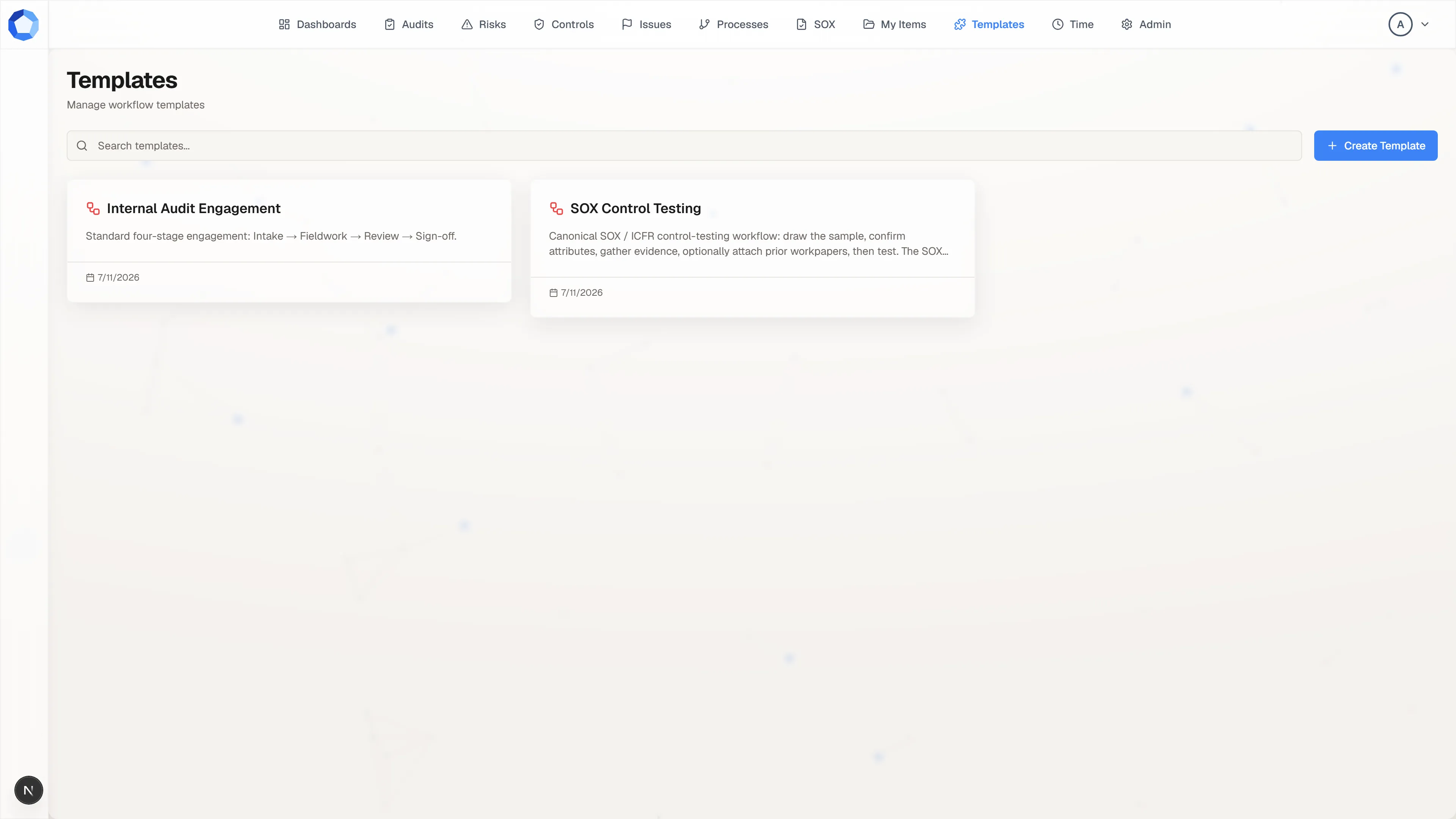
The library you are governing
Section titled “The library you are governing”Templates do not have their own Admin section. They live on the Templates page in the top navigation, which means the people who can build them are exactly the people you granted the Templates page to in User Permissions.
That single grant is your main lever. Everyone with the page can browse the library and start work from a template; everyone with the page can also open the designer. If authoring should be narrower than running, the grant is where you narrow it.
A blueprint, not a running workflow
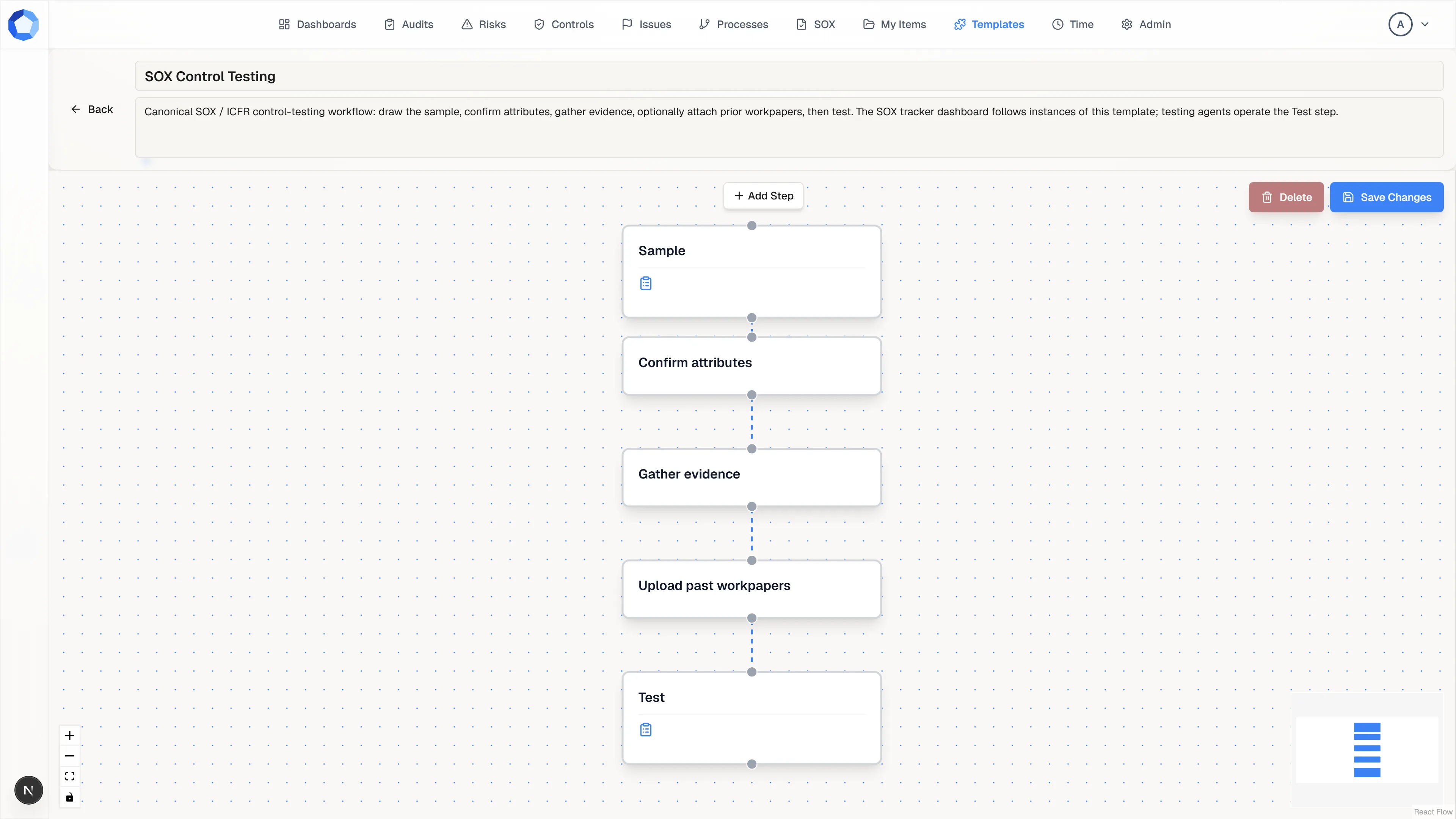
Section titled “A blueprint, not a running workflow”The designer is a canvas of step nodes and the connections between them, so a template is a graph rather than a list and can branch. Starting work from it creates a separate, running workflow on an item, and from that moment the two are independent.
This is the property that makes templates safe to improve. A later edit reaches only workflows started afterwards, work already in flight is undisturbed, and someone reshaping their own running workflow never touches your blueprint.
Write steps for the person who has to do them
Section titled “Write steps for the person who has to do them”Selecting a node opens its configuration: the step name, a description, the instructions, and an optional form. Name the action rather than the position, so “Review vendor contract” and not “Step 3”, and write instructions for someone meeting the process for the first time.
Attach a form wherever you need consistent, structured answers instead of free-text notes, and say explicitly which documents the step expects as evidence. A template with seven vague steps is worse than one with three clear ones.
The name is what everyone else sees
Section titled “The name is what everyone else sees”The name and description at the top of the designer are the whole of what a colleague reads in the library before choosing this template, so make them say what the process is for and when to use it. Save Changes writes the entire blueprint at once: nodes, connections, and every step’s configuration.
Review a template against this page before you make it public. Correcting a template is cheap; correcting the twenty workflows somebody started from a confusing one is not.
Approvals and review levels
Section titled “Approvals and review levels”A step’s status is derived from its approvals and never set by hand: PENDING
with none recorded, IN_PROGRESS with some but fewer than required, COMPLETED
once the required approvals are in.
When you design a step, set how many approvals it requires, who the approvers are, and each approver’s review level. Level 1 must clear before level 2 is asked to decide, which is how you separate a subject-matter check from a final authorization instead of treating every approver as interchangeable.
Choose required-approval counts deliberately. Too low and the step is a formality that adds process without adding scrutiny; too high and it becomes a bottleneck nobody can clear, especially when one of the required approvers is often unavailable.
Decision branches
Section titled “Decision branches”A step can branch into more than one outgoing path. Label each branch with the
outcome value that selects it, and keep those values short and unambiguous:
approved and rejected read better than anything longer or more interpretive.
Two branches with overlapping or vague outcome values make the decision ambiguous
at exactly the moment it matters.
Decide per template whether the branch not taken should be pruned once the decision resolves, and write your convention into the template description. Anyone reading the template later should learn the behavior there rather than the first time a workflow runs.
Visibility and lifecycle
Section titled “Visibility and lifecycle”| Flag | What it controls |
|---|---|
| Public | Visible to everyone who can start workflows, or only to the person who created it. |
| Active | Whether new workflows can be started from it. |
Keep drafts and experiments private, and make a template public once it is ready for general use. Deactivate a template when the process it describes is retired or replaced: workflows already running from it continue to completion, and only the ability to start new ones is affected. That makes deactivation safe to use liberally, so retiring an old version the moment its replacement is ready strands nobody mid-workflow.
Every one of these changes is recorded in the
activity log as a workflow-template entry.
Where templates come from
Section titled “Where templates come from”- Built in-app, step by step. The most control, and the natural choice for a process specific to your organization.
- Proposed by an agent. An agent can draft a template with suggest_change. It arrives marked AI Suggestion, opened in the designer rather than a read-only preview, so you can move nodes, rewrite instructions, and fix names before pressing Approve & Create or Reject.
- Adapted from an open-source template. The open-source workflow library publishes ready-made templates you can bring in and adjust.
However a template arrives, review it against this page before it goes public. Treat a proposed template as a first draft: correcting a drafted process is usually faster than drawing one from scratch, but the structure is still yours to sign off on.