Using AssureSwarm · Guide
Running workflows
A running workflow is a live diagram: every step, its status, and whoever it is waiting on, in one picture. Scroll, and take one from the diagram down to a recorded approval.
- Open
- Read
- Step
- Approve
Scroll
Workflows explains what a workflow is made of: steps, approvers, review levels, and decision branches. This page is the day-to-day procedure for operating one that is already running.
Open the run
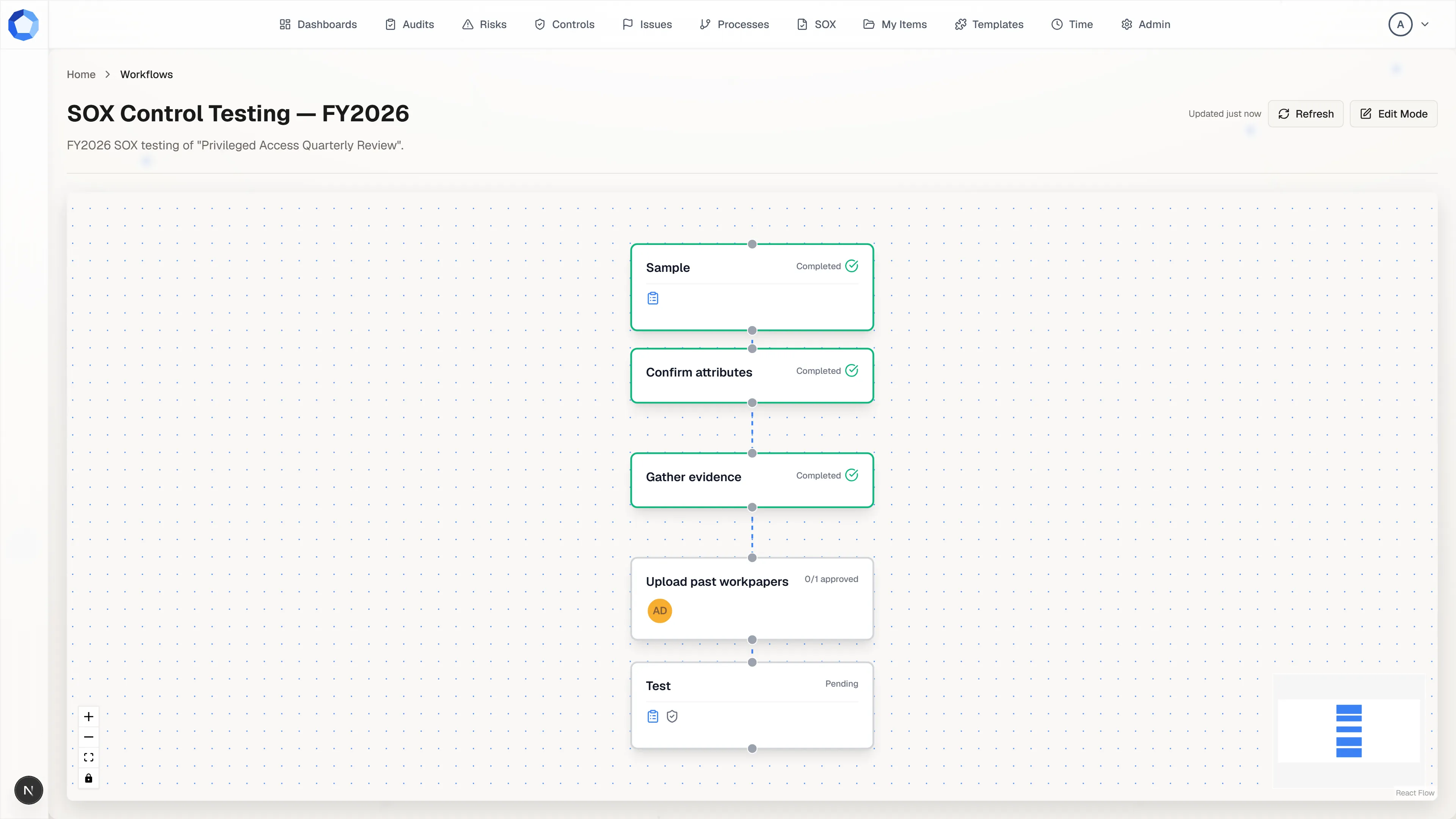
Section titled “Open the run”A workflow opens from the item it is attached to, or from a link on a dashboard: there is no Workflows entry in the top navigation. It renders as a diagram, one node per step, connected in the order the work has to happen.
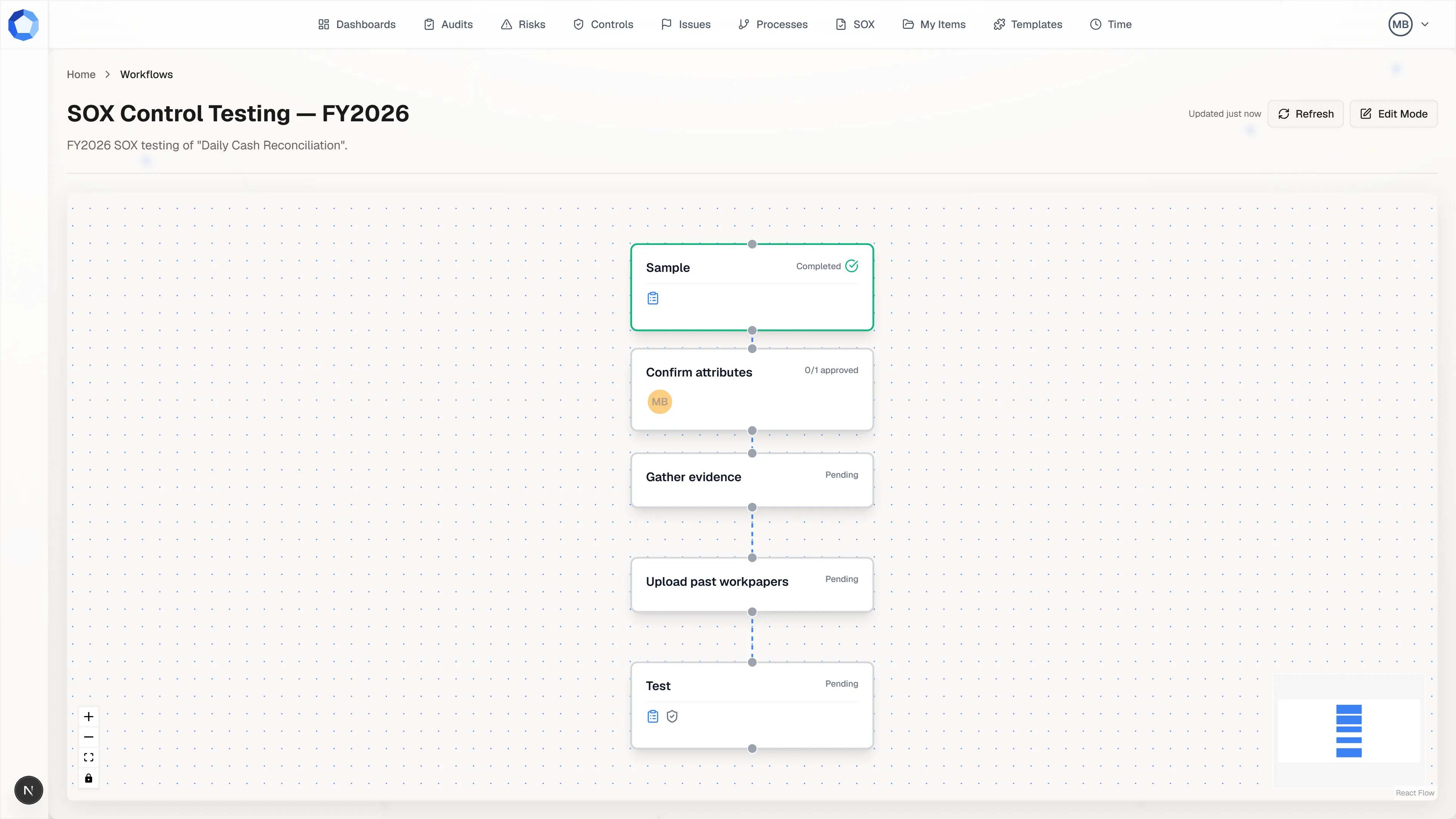
Read it top to bottom. Completed steps carry a green outline and a Completed label, steps not yet started read Pending, and the small icons on a node show what it holds, such as a form or documents.
See who it is waiting on
Section titled “See who it is waiting on”The step in progress shows an approval count in place of a status, such as
0/1 approved, with an avatar for each approver it still needs. That is the
whole answer to “who is on the hook right now”.
A step has no assignee field. People reach a step as approvers, who sign off on it, or as form respondents, who answer its form. Approvers carry review levels, so level 1 clears before level 2 is asked to decide.
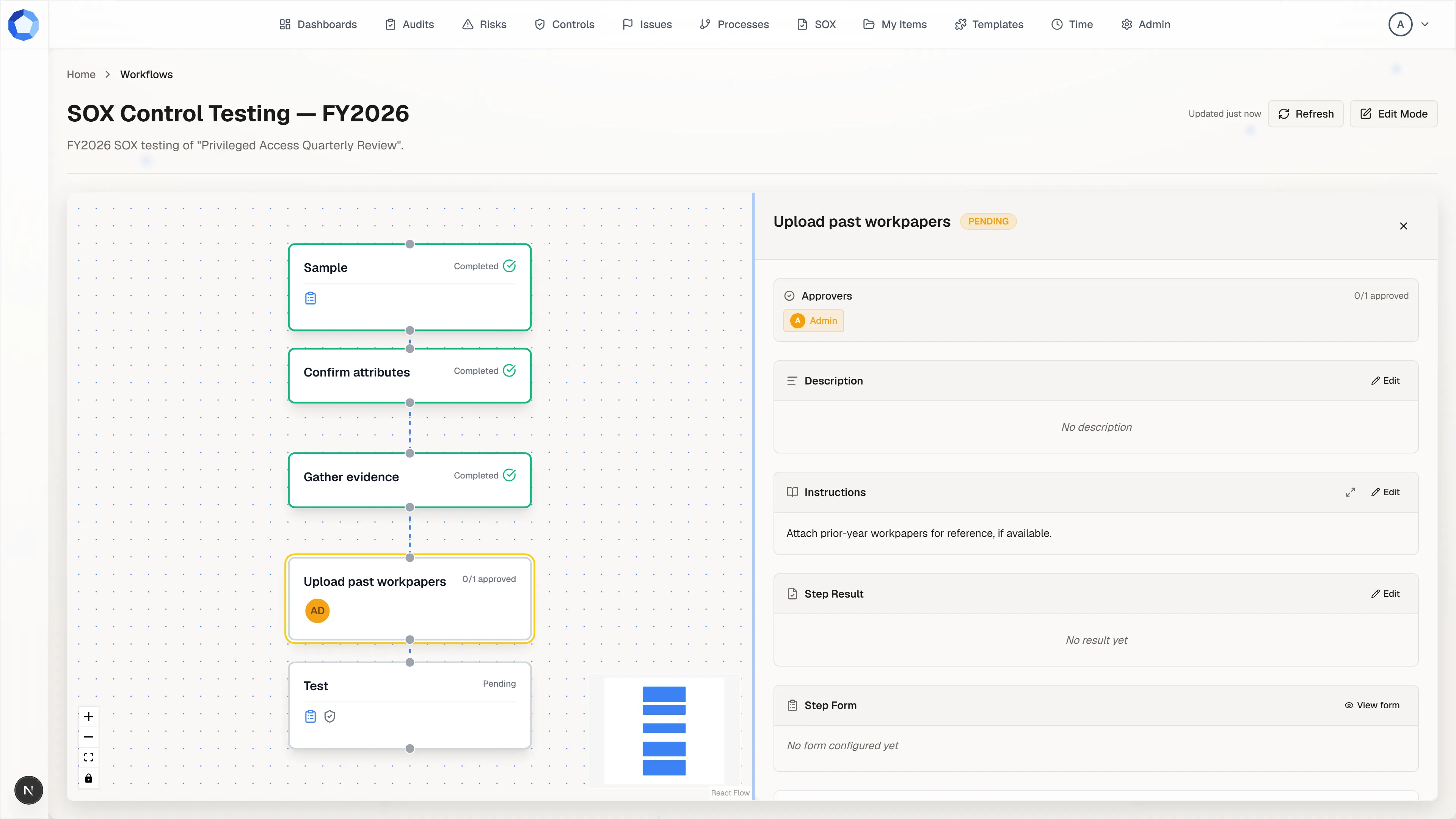
Open the step beside the diagram
Section titled “Open the step beside the diagram”Select a step node and the step viewer opens to its right, with the diagram still in view. It carries the step’s approvers and approval count, its description and instructions, the step result, the step form, supporting documents, and any linked items.
Drag the divider between the two to give either side more room, and select another node to switch the panel to that step. Working a step covers producing the outcome itself.
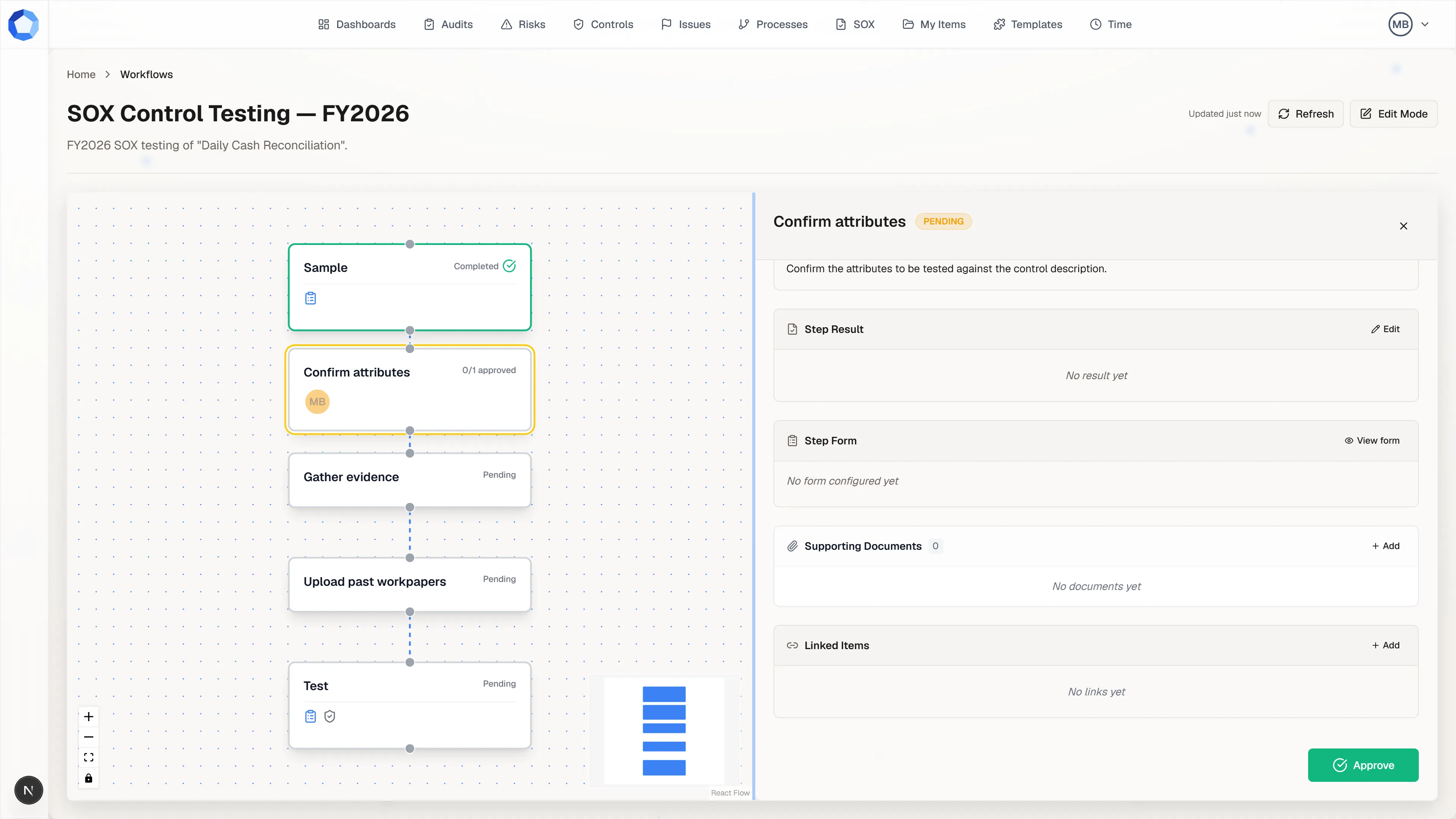
Approve it
Section titled “Approve it”When the work is in place, press Approve at the bottom of the step viewer. The button appears only if you are one of the step’s approvers.
Status is derived from approvals, never set by hand: PENDING with none in,
IN_PROGRESS with some but not enough, COMPLETED once the required
approvals are recorded. If you approved too early, Remove Approval takes
it back and the step reopens for editing.
Step statuses
Section titled “Step statuses”| Status | What it means |
|---|---|
PENDING |
No approvals recorded yet. |
IN_PROGRESS |
Some approvals are in, but fewer than the step requires. |
COMPLETED |
The required approvals are in. |
Keeping the view current
Section titled “Keeping the view current”The header shows how long ago the view last refreshed and carries a Refresh button. The page also refreshes itself every few seconds while you have it open, so an approval recorded by a colleague appears without you reloading.
Reshaping a running workflow
Section titled “Reshaping a running workflow”Edit Mode, in the header, turns the diagram into an editor for people who can edit that workflow. In it you can add steps, rename them, rewire the connections between them, and delete steps or the workflow itself. Save writes the whole diagram at once, and leaving with unsaved changes warns you first.
Editing a running workflow changes only that run. The template it came from is untouched, and so is every other workflow started from it.
Steps can also be decision points, where the outcome recorded on the step selects which outgoing branch the run follows. Branches that were not taken can be pruned from the run, permanently, without touching the template. See Workflows for how branching and pruning work.
When an agent proposes a workflow
Section titled “When an agent proposes a workflow”An agent can propose a whole workflow. It arrives as a preview: the diagram it would create, marked Will be created, with the step count and the instruction the agent was given. Nothing exists yet, and no step is running, until you approve it from the suggestion.
Review the shape before you approve: the steps, their order, and where approvals sit. A workflow is easier to correct as a proposal than as a run already underway.