Concepts
Where evidence lives
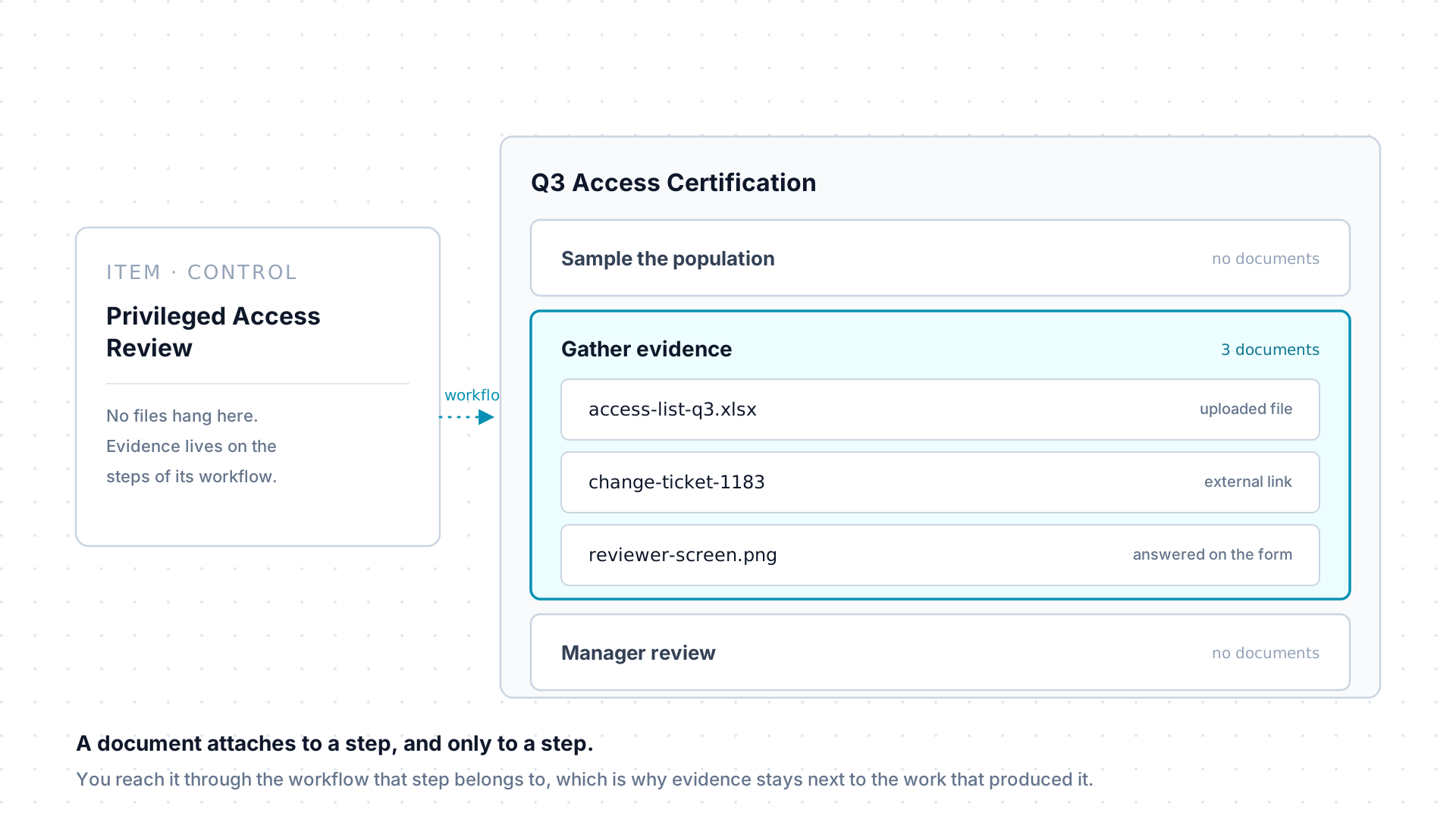
A document is a file or a link attached to a workflow step: the screenshot behind a test, the export a review ran on, the ticket a change was raised under. Scroll through the moving parts, then dig into the reference below.
- Attach
- Kinds
- Checks
- Retrieval
Scroll
Evidence is only useful if you can find it next to the work it supports. That single idea explains where AssureSwarm puts documents, and why it puts them nowhere else.
A document hangs off a step
Section titled “A document hangs off a step”Every document attaches to one workflow step, never to an item on its own. So evidence sits with the piece of work that produced it, and you reach it by opening the step rather than by hunting through a shared drive.
Whoever can open the step can see its documents. Nothing about a document is permissioned separately: it inherits the reach of the step it is attached to.
Two kinds: a file, or a link
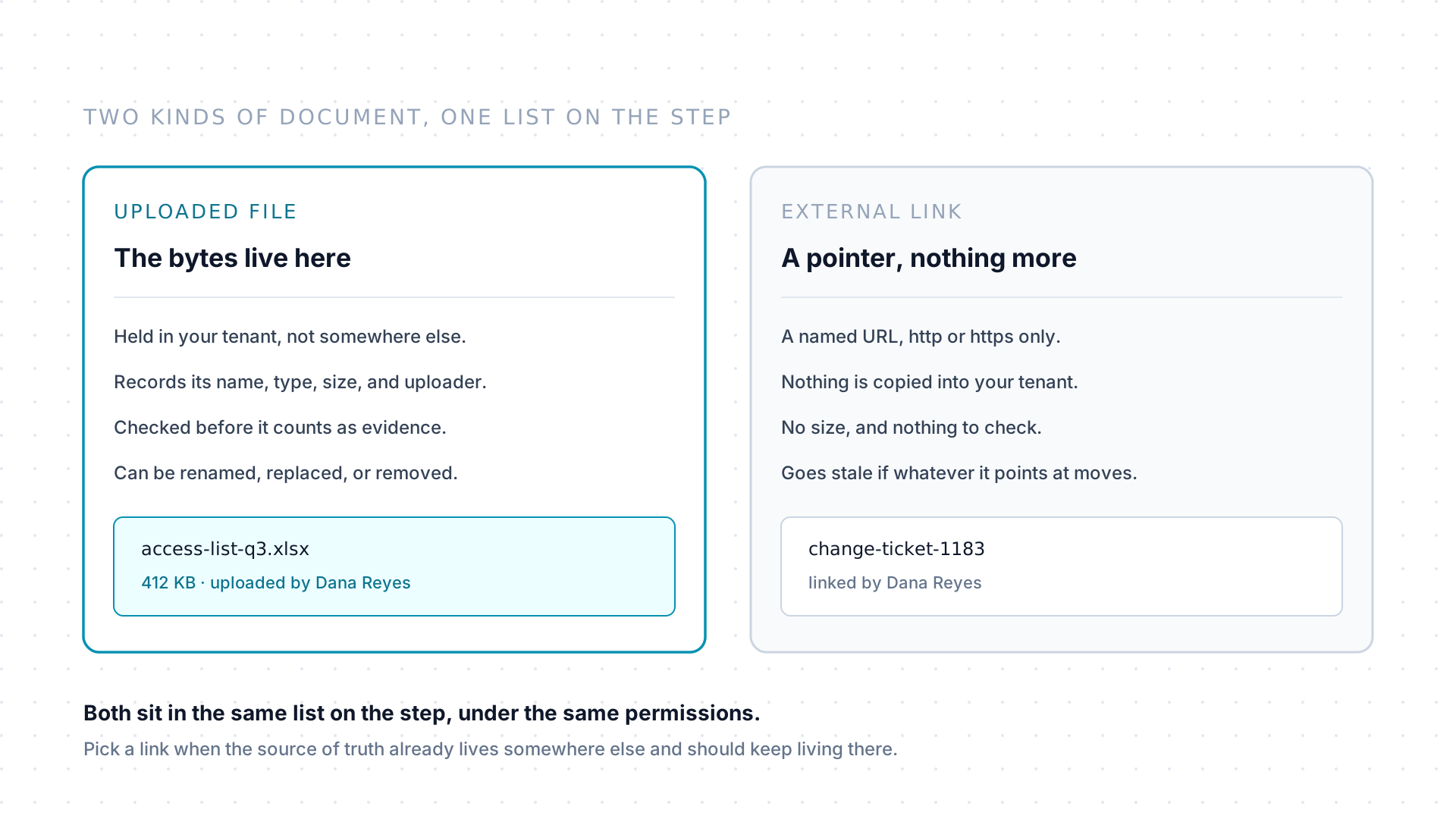
Section titled “Two kinds: a file, or a link”An uploaded file is held in your tenant. It records its name, its type, its size, and who uploaded it, and it can be renamed, replaced, or removed while the step is still open.
An external link is a named URL attached as a document instead of a
file, limited to http:// and https:// addresses. Nothing is copied, so
there is no size and nothing to check, and the link goes stale if whatever
it points at moves. Reach for one when the source of truth already lives
somewhere else and should keep living there.
An upload is checked before it counts
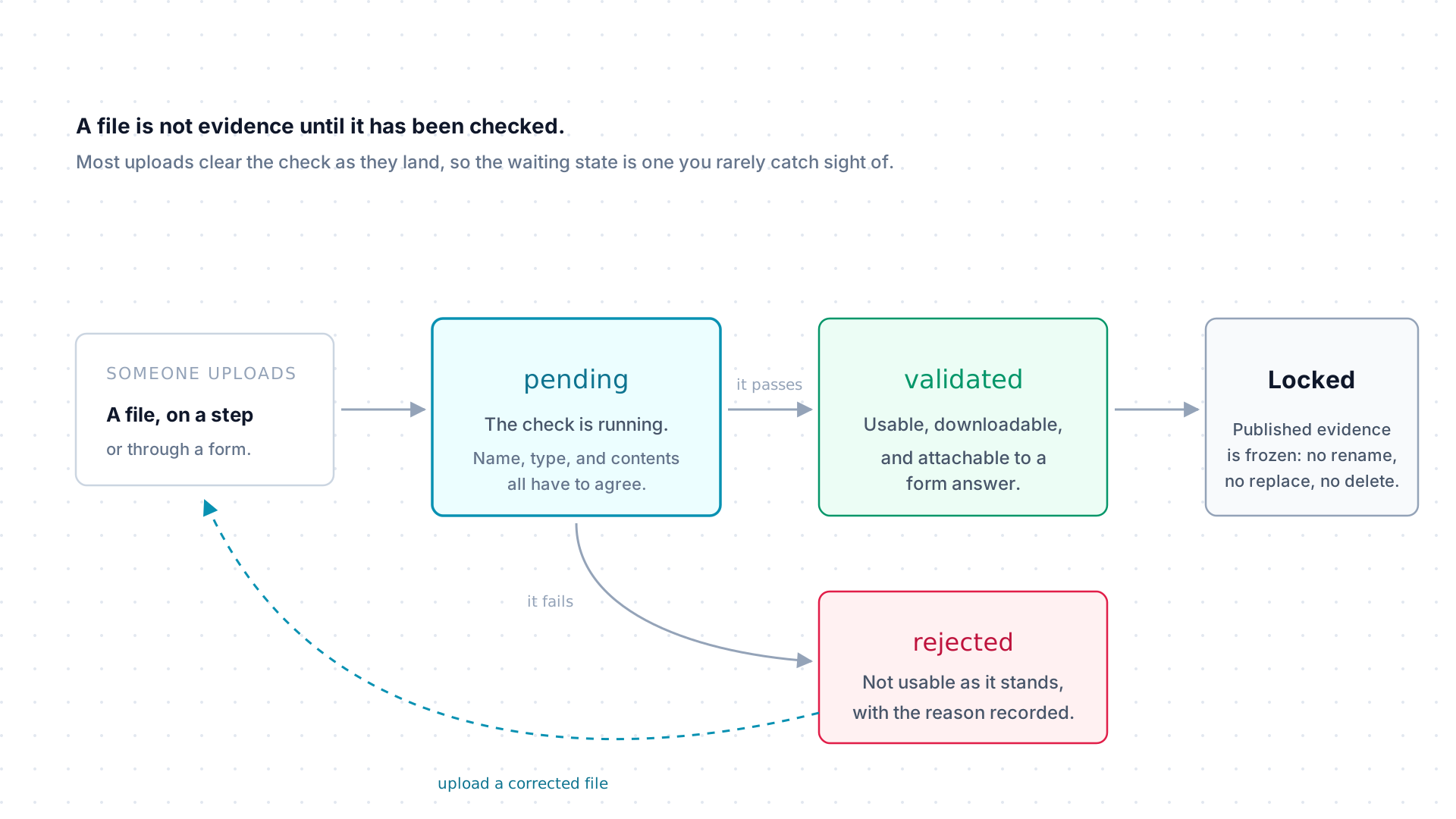
Section titled “An upload is checked before it counts”An uploaded file starts pending while it is checked, then becomes
validated or rejected. A rejected file is not usable as it stands, and
the reason is recorded: upload a corrected file rather than trying to force
the original through. Most uploads clear the check as they land, so
pending is a state you rarely catch sight of.
A document can also be locked, which freezes it against renaming, replacement, and deletion. Locking is applied by the product when published results cite a piece of evidence, not by a button somebody presses.
Getting a document back out
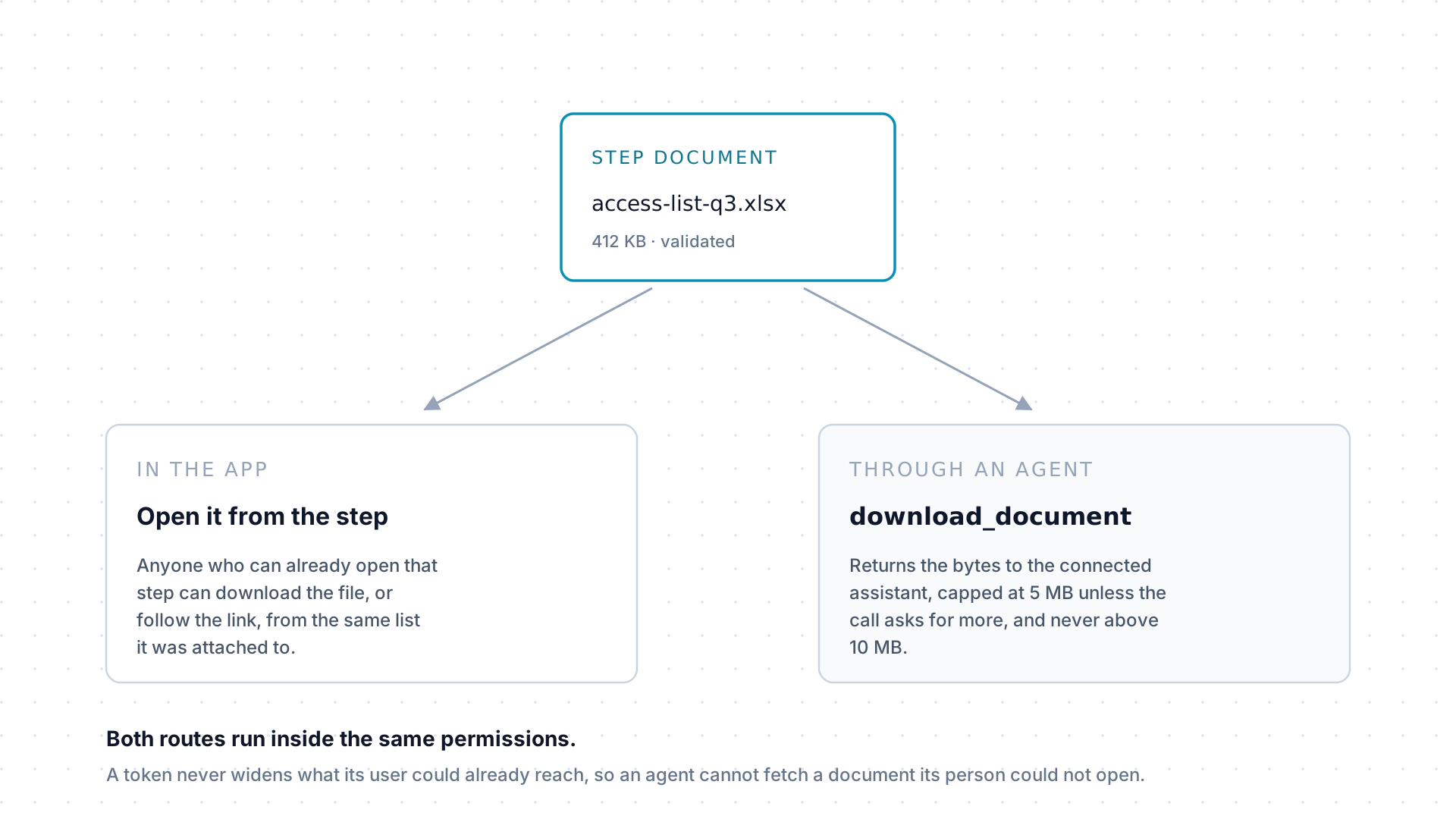
Section titled “Getting a document back out”In the app, anyone who can already open the step can download the file or follow the link from the same list it was attached to. Through MCP, an agent fetches it with download_document, capped at 5 MB unless the call asks for more and never above 10 MB.
Both routes run inside the same permissions. A token never widens what its user could already reach, so an agent cannot fetch a document its person could not open.
What a document records
Section titled “What a document records”| It holds | Notes |
|---|---|
| File name | The display name, and it can be changed while the document is open for editing. |
| File type | The MIME type, such as application/pdf. |
| File size | Recorded for uploaded files. An external link has none. |
| Uploaded by | The person who attached it. |
| Validation state | pending, validated, or rejected, with the reason on a rejection. |
| Locked | Whether the document is frozen against further change. |
| Form response | Set when the file arrived as the answer to a form question. |
Documents that arrive from a form
Section titled “Documents that arrive from a form”A form question can ask for a file upload. When someone answers that question, the file becomes a document on the step, tied to that specific response: a step’s form might ask the control owner to attach a screenshot as evidence, and that answer lands in the step’s document list like any manually attached file.
Because it is tied to a response, an uploaded answer has to clear validation
before the form can be submitted with it. A file still sitting at pending, or
one that came back rejected, cannot be carried into a submission. See
Forms for how questions and responses work.
What locking actually stops
Section titled “What locking actually stops”A locked document, and an archived one, refuse the operations that would change
what the evidence says: renaming it, replacing the file behind it, and deleting
it. Separately, once a step reaches COMPLETED its form closes, so a respondent
can no longer add or withdraw the files they attached to their response. Both
rules exist so that evidence somebody signed off on stays what it was when they
signed off on it.
Where documents do not go
Section titled “Where documents do not go”There is no document library, no per-item attachment list, and no tenant-wide file browser. If a file matters to a record, it belongs on a step of a workflow attached to that record. That constraint is deliberate: it keeps every file answerable to a piece of work, an owner, and an approval trail.