Concepts
The human gate
Agents never write to your tenant directly. Every proposed create, update, delete, form submission, and branch prune waits as a suggestion until a person approves it. Scroll through the moving parts, then dig into the reference below.
- Lifecycle
- Actors
- Targets
- Trail
Scroll
A suggestion is this product’s answer to the question “what happens when an agent wants to change something”. The answer is: it asks. Everything below follows from that one decision.
A successful call creates a proposal, not a change
Section titled “A successful call creates a proposal, not a change”Agents, and the in-app AI, write through
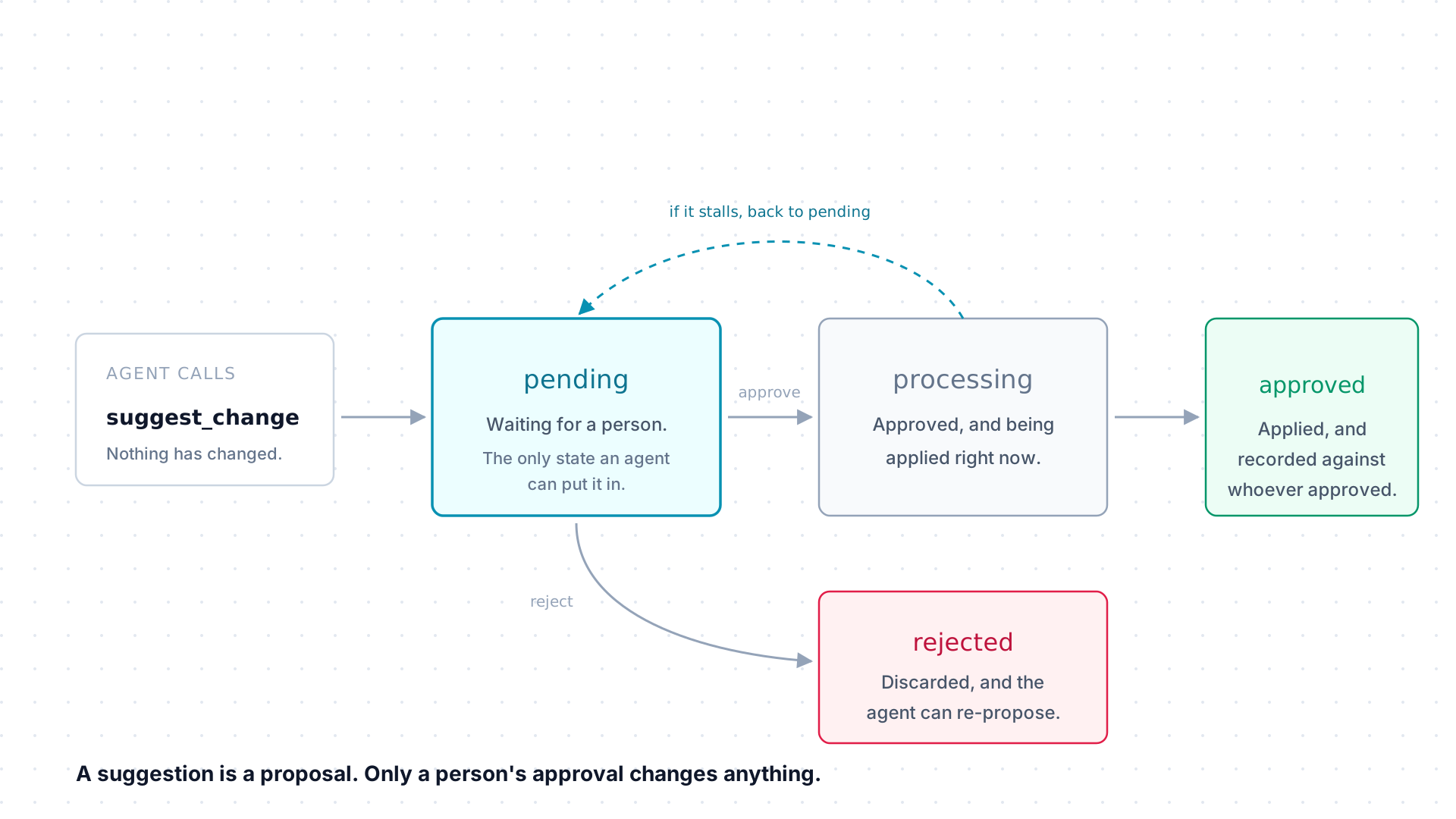
suggest_change, and a successful call does exactly
one thing: it creates a suggestion in pending. Nothing in your tenant is
different after that call returns.
From pending a person’s decision sends it to processing while the write
is applied, then approved, or straight to rejected with nothing applied.
If applying it stalls partway, it falls back to pending rather than
half-applying: the apply is built never to run twice.
Three parties, and the middle one is a person
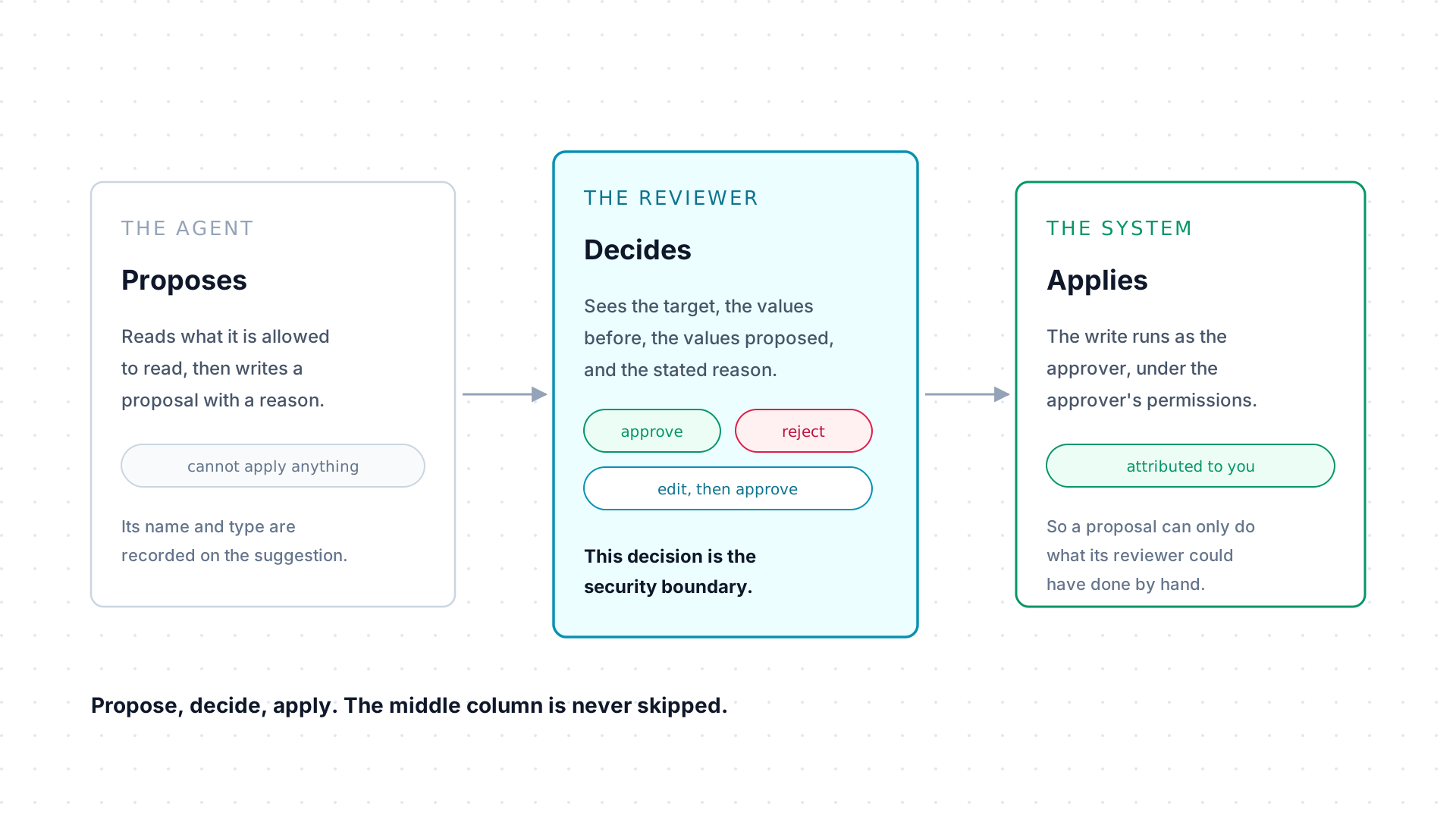
Section titled “Three parties, and the middle one is a person”The agent proposes and records its name, its type, and the reason for the change. The reviewer decides, seeing the target, the values before, the values proposed, and that stated reason. The system applies.
A reviewer has three moves, not two: approve, reject, or edit the proposal and then approve what they actually want written. The write runs as the approver, under the approver’s own permissions, so a suggestion cannot be used to push a change past what its reviewer could have made by hand.
What a proposal can point at
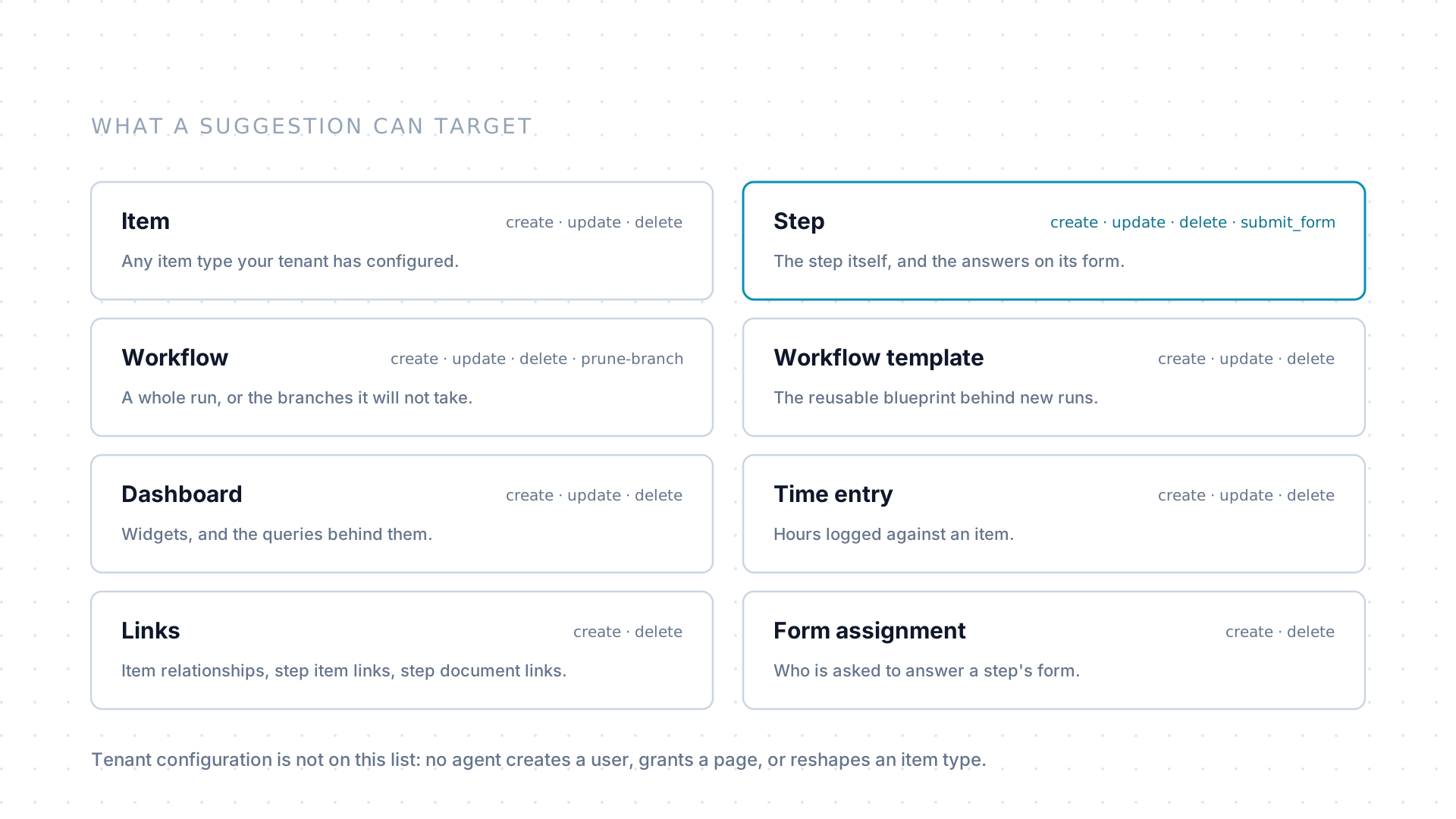
Section titled “What a proposal can point at”A suggestion targets one thing: an item of any type your tenant has configured, or a step, a workflow, a workflow template, a dashboard, a time entry, a relationship or link, or a form assignment. Each target allows its own set of operations.
Tenant configuration is deliberately absent from that list. No agent creates a user, grants a page, or reshapes an item type, whatever it proposes.
Every outcome leaves a trail
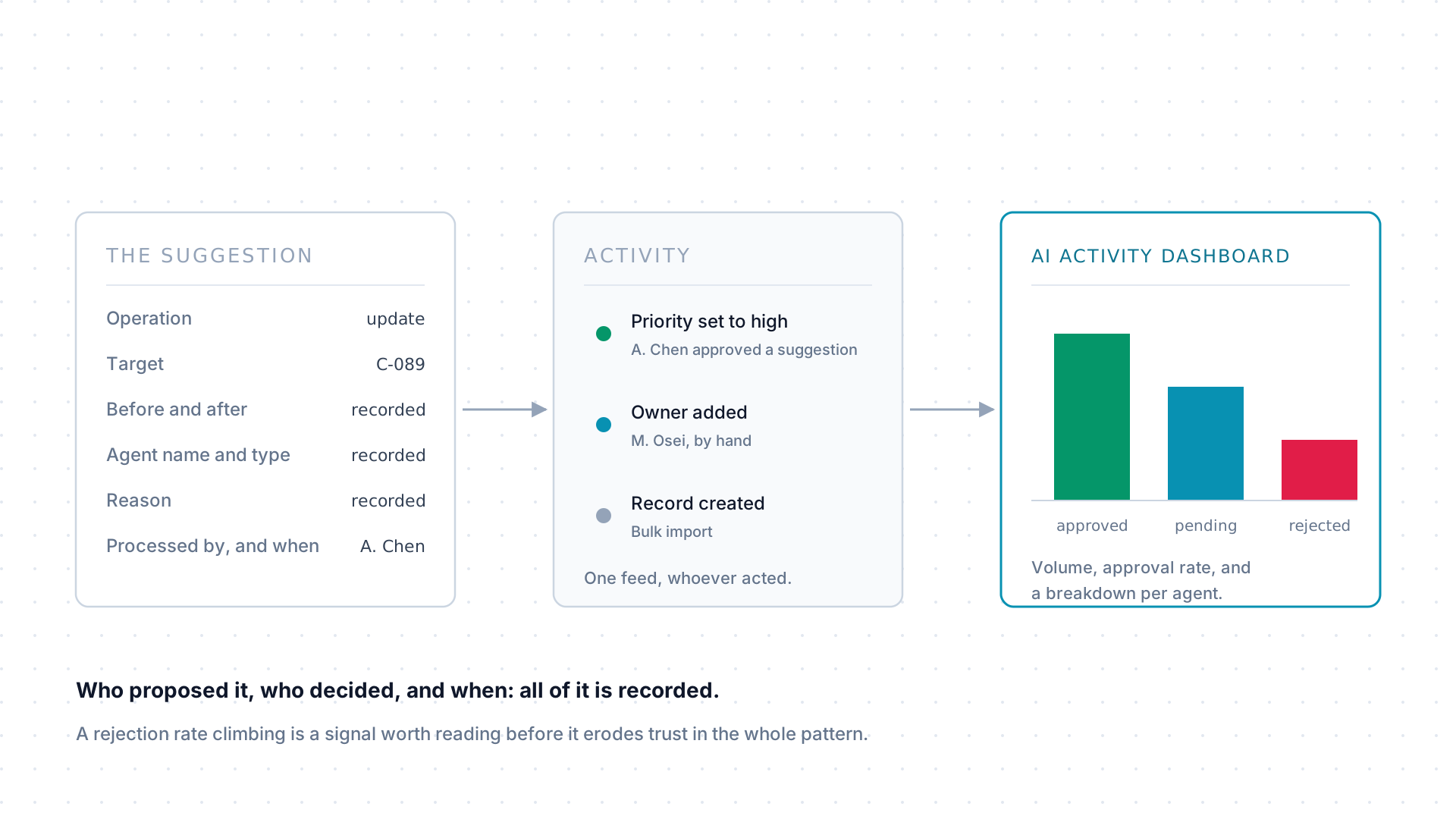
Section titled “Every outcome leaves a trail”An approved suggestion lands in the activity trail like any other change, naming who processed it and when, beside the edits people made by hand. Nothing an agent does is invisible after the fact.
Above the individual entries sit the aggregates: suggestion volume, approval rate, and a per-agent breakdown. An agent proposing more than expected, or getting rejected more often than it should, shows up there first.
What a suggestion contains
Section titled “What a suggestion contains”A suggestion records everything a reviewer needs to judge it without digging elsewhere:
| It records | As |
|---|---|
| Operation | create, update, delete, submit_form, or prune-branch |
| Target | An item of some type, or a step, workflow, workflow template, dashboard, time entry, relationship, link, or form assignment |
| Proposed data | What the agent wants the target to look like |
| Before state | For updates, what the target looked like beforehand, so the reviewer sees exactly what would change |
| Reason | The agent’s stated justification |
| Agent name and type | Who, or what, proposed it |
| Page context | Where in the product it was proposed from |
Lifecycle
Section titled “Lifecycle”| Status | Meaning |
|---|---|
pending |
Waiting for review. Nothing has been applied. |
processing |
Approved, and being applied. |
approved |
Applied successfully. |
rejected |
Declined, and nothing was applied. |
Reviewing and approving
Section titled “Reviewing and approving”Suggestions surface in the Activity Hub, the review rail down the left of the
app, and as preview banners on the pages they would affect. Every
suggest_change response also includes a direct Preview & approve link the
agent can hand to a person, which lands on that same preview.
Either way the reviewer sees the before and after values and the agent’s reason before deciding. When you are the reviewer:
- Check the target is the right one.
- Check the before state still matches reality.
- Check the change is within what was actually asked for.
- Check the option values and field keys look sensible.
- Reject with confidence if any of that is off.
Reviewing suggestions is the full walkthrough, including bulk review and reading a diff.
Auditability and monitoring
Section titled “Auditability and monitoring”Every suggestion’s outcome lands in the activity trail, and the aggregate
numbers, suggestion volume, approval rate, and per-agent breakdowns, are
queryable through suggestionStats in GraphQL. Administrators see
the same tenant-level activity in the activity log.
That breakdown is worth reading periodically. An agent proposing more than expected, or getting rejected more often than it should, is a signal to investigate before it erodes trust in the whole pattern.