Concepts
Who can see what
Access is layered, from the sign-in gate down to a single record, and an agent's token is bounded by the person it connects as. Scroll through the layers, then dig into the reference below.
- Sign in
- Pages
- Records
- Agents
Scroll
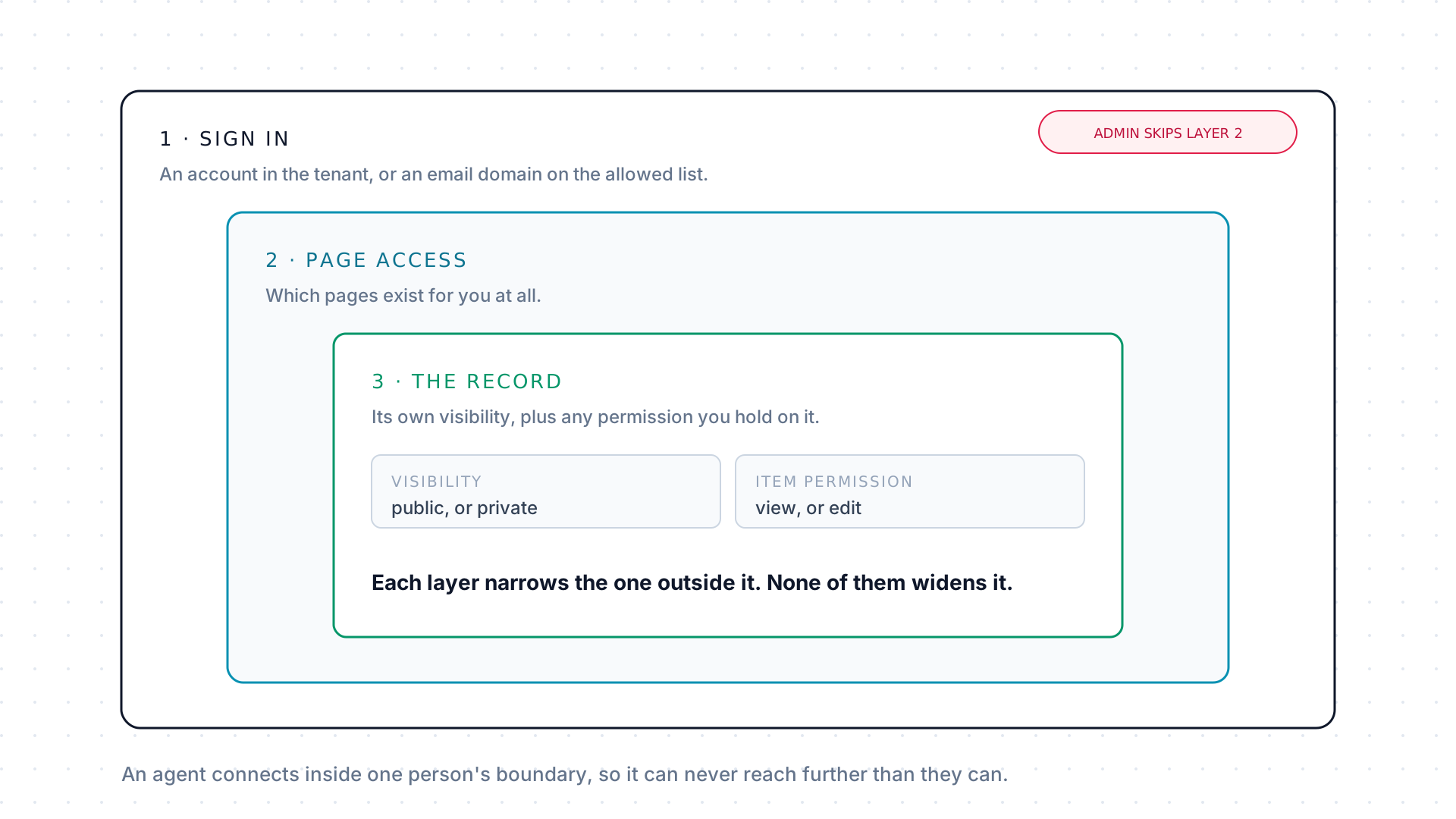
Four questions, asked in order: can this person sign in, which pages exist for them, which records on those pages can they open, and what may an agent do on their behalf. Every layer narrows the one outside it, and none of them widens it.
The outer gate: signing in
Section titled “The outer gate: signing in”A person can sign in only if one of two things is true: they already have an active account in the tenant, or their email domain is on the tenant’s allowed sign-in domain list, in which case their first single sign-on provisions the account.
Email and password sign-in exists too, but only where an administrator has enabled it for that account. There is no open self-signup: somebody always grants access first. Deactivating a user cuts off access immediately while leaving their history, approvals, and submissions intact.
Page access decides what exists
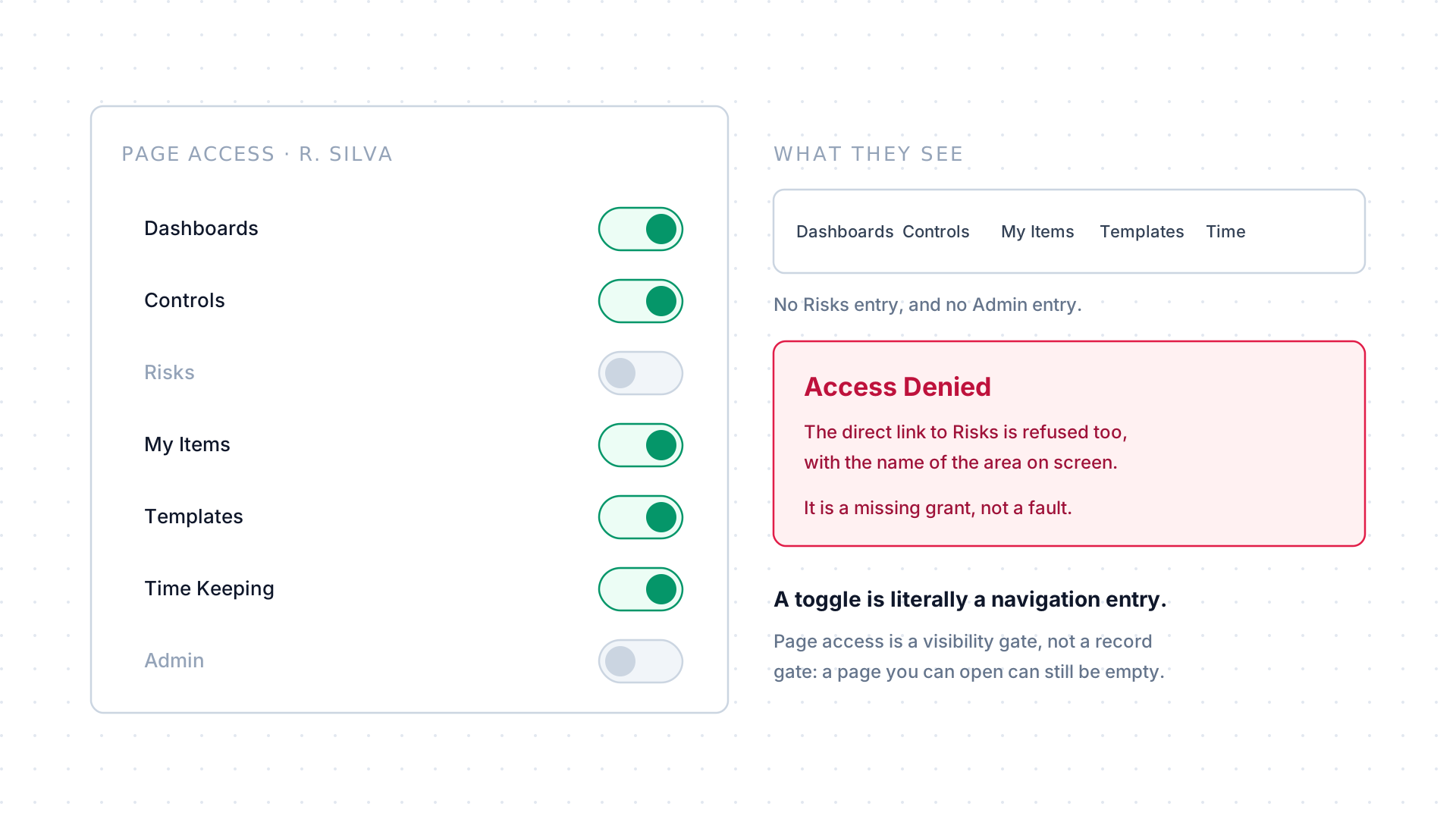
Section titled “Page access decides what exists”Every user is granted specific pages: one per configured item type, plus Dashboards, Templates, Time Keeping, My Items, and Admin. A page a person has not been granted does not appear in their navigation at all, and the direct link is refused with an Access Denied screen naming the area.
A regular new user gets the standard member set and no Admin. Item type pages are granted one at a time, deliberately. There is no Workflows entry to grant: a workflow opens from the item it is attached to.
Item access decides what you can open
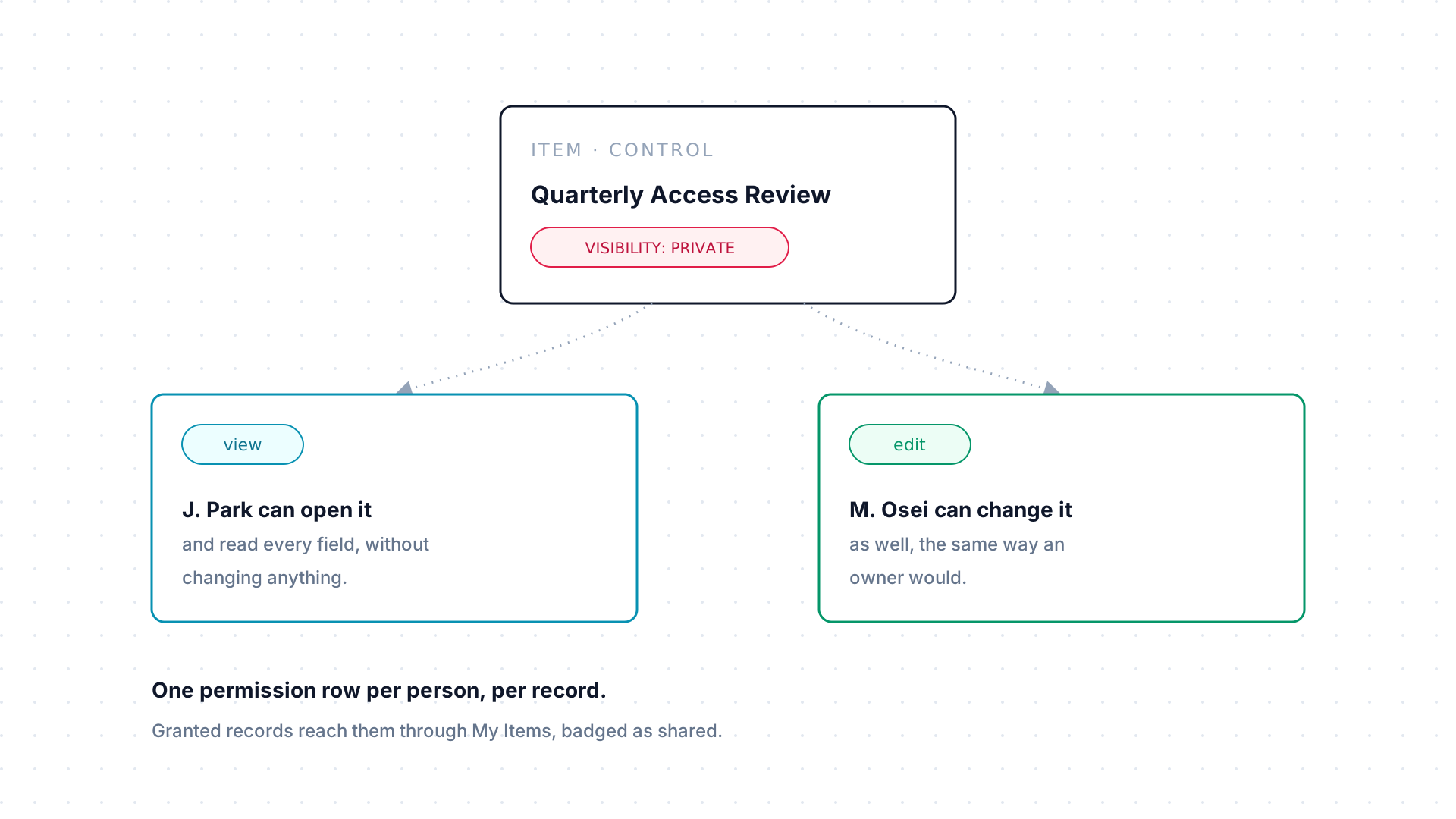
Section titled “Item access decides what you can open”Underneath page access, each item carries its own visibility, either
public or private, and a person can hold an item permission on a
specific record: view to open and read it, edit to change it as well.
There is one permission row per person per record.
Page access and item access are genuinely separate. Holding an item type’s page does not guarantee you can see every record on it, which is why an open page can still show an empty list.
Agents inherit a person’s boundary
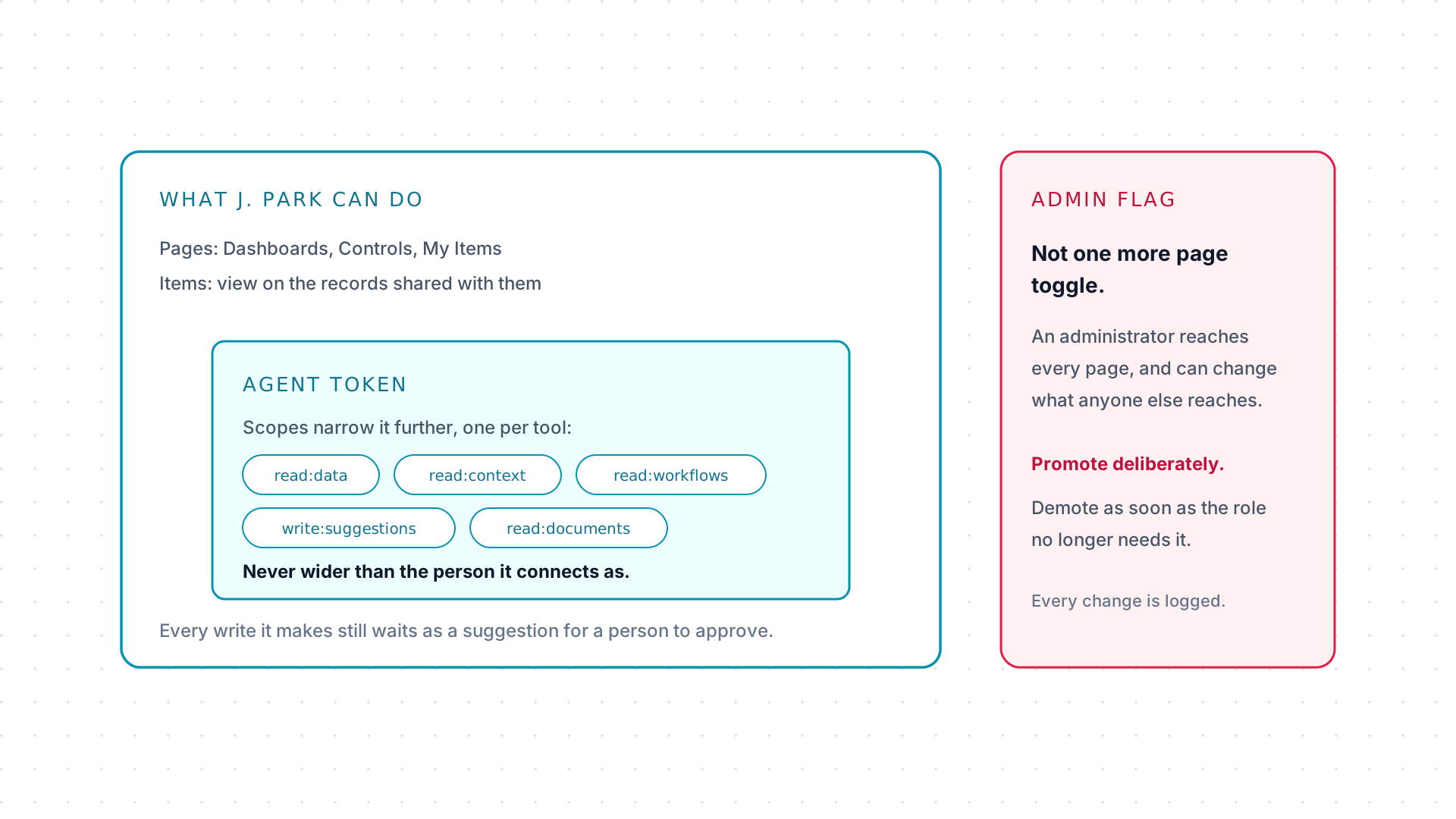
Section titled “Agents inherit a person’s boundary”An agent is always authorized per user, through OAuth or a personal token, and narrowed further by scopes, one required per MCP tool. Scopes only subtract: a token never grants more than the connected person already has, and everything it does is attributed to them.
The admin flag is the one thing that is not a page grant. An administrator reaches every page and can change what everyone else reaches, so promote deliberately and demote as soon as the role no longer needs it.
| Role | Access |
|---|---|
| Administrator | The full Admin area and tenant configuration, plus implicit access to every page. |
| Member | Regular access, scoped by page access and item permissions. |
| External | A limited account, typically a form respondent who sees only their assigned form and not the surrounding workflow. |
Administrators can promote another user to administrator or remove that access: see Users and access.
Item visibility and permissions
Section titled “Item visibility and permissions”An item is either public, visible to anyone holding its item type’s page, or
private, restricted to the people explicitly attached to it. On top of that,
item permissions grant view or edit on individual records, and ownership
carries its own access.
Workflows, dashboards, and documents
Section titled “Workflows, dashboards, and documents”Three object types inherit their access from what they are attached to, rather than carrying a permission model of their own:
- A workflow follows the item it belongs to, plus workflow ownership.
- A dashboard is either private or public.
- A document follows the chain up through its step, workflow, and item.
Agents, tokens, and scopes
Section titled “Agents, tokens, and scopes”Each MCP tool requires a specific scope:
| Tool | Required scope |
|---|---|
get_schema |
read:data |
query_data |
read:data |
get_current_context |
read:context |
get_step_context |
read:workflows |
upload_document |
write:documents |
download_document |
read:documents |
suggest_change |
write:suggestions |
The full scope list is in Reference.
Agents connect either through an OAuth client an administrator registers, see AI integrations, which is the path for multi-user platforms, or through a personal token for individual use. Personal tokens are generated from the AI Agent Setup page and expire after 30 days.
Whichever path an agent takes, write:suggestions is the scope that lets it
propose changes at all, and every proposal still lands as a
suggestion for a person to review.
Auditing
Section titled “Auditing”Admin configuration changes and item activity are both logged and reviewable: tenant-wide changes in the activity log, and a single record’s history in its own activity feed. It is the same trail a suggestion’s outcome lands in once it is processed, see Suggestions.